

cancel
Showing results for 
Search instead for 
Did you mean: 

The Power BI Data Visualization World Championships is back! Get ahead of the game and start preparing now! Learn more

Reply
kgriendling
Advocate I
Advocate I

Line Chart

Hi,


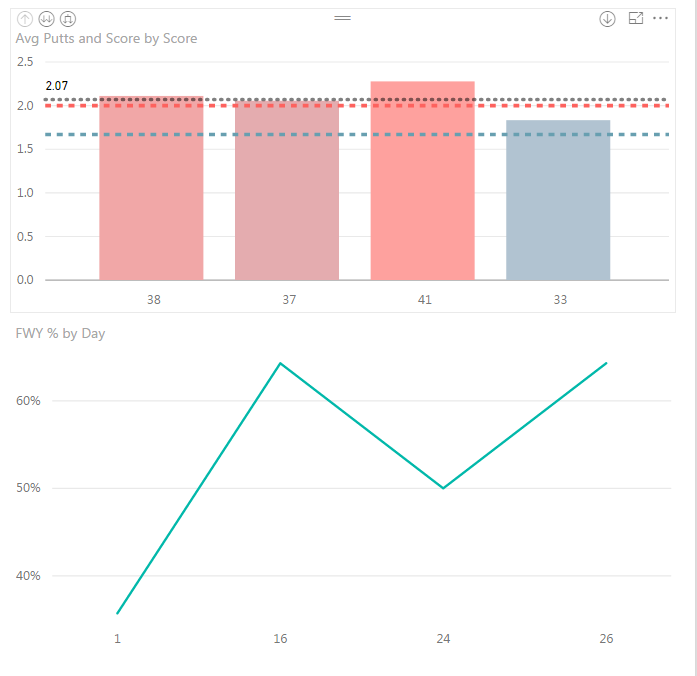
I am trying to set up a line chart with my % on the left, and my total value below - organized by date.


For some reason I can't replicate the same thing I created in the previous visualization. It keeps collapsing my values to 3 instead of 4 because 2 total values match.


It keeps showing the date below, instead of the total fairways hit.


Also, why can't I upload an image directly from my desktop? It keeps trying to force me to submit an image via a weblink...


Any ideas?


4 REPLIES 4
v-ljerr-msft
Microsoft Employee
Microsoft Employee

Hi @kgriendling,


Could you post your table structures with some sample data which can help us reproduce this issue? So that we can better assist on it. It's better to share a sample pbix file. You can upload it to OneDrive or Dropbox and post the link here. Do mask sensitive data before uploading. Smiley Happy


Regards

The table for this is attached:

Capture.PNG

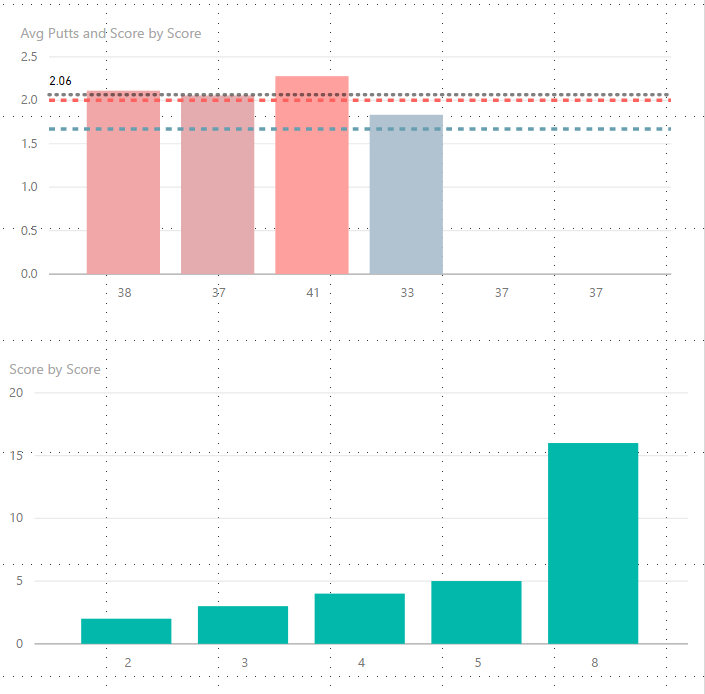
I have since added two lines to it - so now it is reading 4 elements, but it takes my two days that have 8 GIR, and makes them a column. Like this:

Capture2.PNG


Also I can't figure out why my first viz won't update with the latest two data points. That data looks like this:


Capture3.PNG

kgriendling
Advocate I
Advocate I

Capture.PNG

Helpful resources

Announcements
Power BI DataViz World Championships

Power BI Dataviz World Championships

The Power BI Data Visualization World Championships is back! Get ahead of the game and start preparing now!

December 2025 Power BI Update Carousel

Power BI Monthly Update - December 2025

Check out the December 2025 Power BI Holiday Recap!

FabCon Atlanta 2026 carousel

FabCon Atlanta 2026

Join us at FabCon Atlanta, March 16-20, for the ultimate Fabric, Power BI, AI and SQL community-led event. Save $200 with code FABCOMM.