I'm new in Power BI and need some help retrieving data via API. I have tried to insert the parateters below in Get Data / Web / Advanced with no success at all.
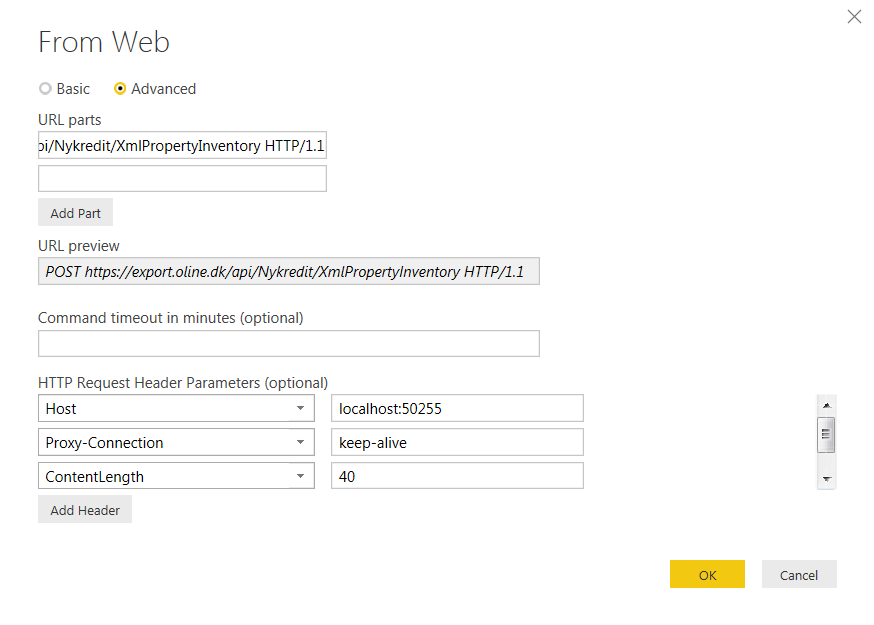
POST https://export.oline.dk/api/Nykredit/XmlPropertyInventory HTTP/1.1
Host: localhost:50255
Proxy-Connection: keep-alive
Content-Length: 40
Cache-Control: no-cache
Origin: chrome-extension://fhbjgbiflinjbdggehcddcbncdddomop
Content-Type: application/json
User-Agent: Mozilla/5.0 (Windows NT 6.1; WOW64) AppleWebKit/537.36 (KHTML, like Gecko) Chrome/46.0.2490.86 Safari/537.36
Postman-Token: bbbbe2e0-efe5-f0d0-9b5f-ff12b07a7698
Accept: */*
Accept-Encoding: gzip, deflate
Accept-Language: da-DK,da;q=0.8,en-US;q=0.6,en;q=0.4
Parameters must be insert in BODY:
{
"UserName":"<UserName>","Password":"<Password>","FromDate":"09-01-2015","ToDate":"11-30-2015"
}


