This time we’re going bigger than ever. Fabric, Power BI, SQL, AI and more. We're covering it all. You won't want to miss it.
Learn moreDid you hear? There's a new SQL AI Developer certification (DP-800). Start preparing now and be one of the first to get certified. Register now
hi,
i have my pbix files on azure blob storage, what i trying to do is that when i made changes on the pbix file and i save the file on the blob store this trigger the import (refresh) the report on service.
Solved! Go to Solution.
Hi @santiagomur ,
You just need to create a refresh schedule, the data will automatically update according to your schedule. As getting data from Azure,you don't need a gateway. I test it using the sample table in this post. I create a report, and publish it to service.
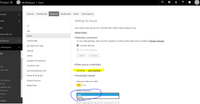
In Power Service, please right click Dataset->Schedule Refresh, you will get the following screenshot. Please Edit Credentials using your Account. Turn on the "Keep your data up to date", and you can choose Daily/Weekly refresh frequency. Finally click the "Apply", the data will update automatically.
In addition, if you want to refresh real time or at least every 10 mins. You will have two options.
For one thing, you can purchase Power BI Premium, there is no refresh frequency limitation for premium account. You can update data at least every10 mins.
For another, for making reports up to date real time. You can create Azure Stream Analytics getting streaming IoT Data instead of Azure Storage Blob. Then you can create a real-time dashboard by Azure Stream Analytics. For more details, please review the following articles.
Get started with Azure Stream Analytics to process data from IoT devices
Stream Analytics and Power BI: A real-time analytics dashboard for streaming data
Hi @santiagomur ,
You just need to create a refresh schedule, the data will automatically update according to your schedule. As getting data from Azure,you don't need a gateway. I test it using the sample table in this post. I create a report, and publish it to service.
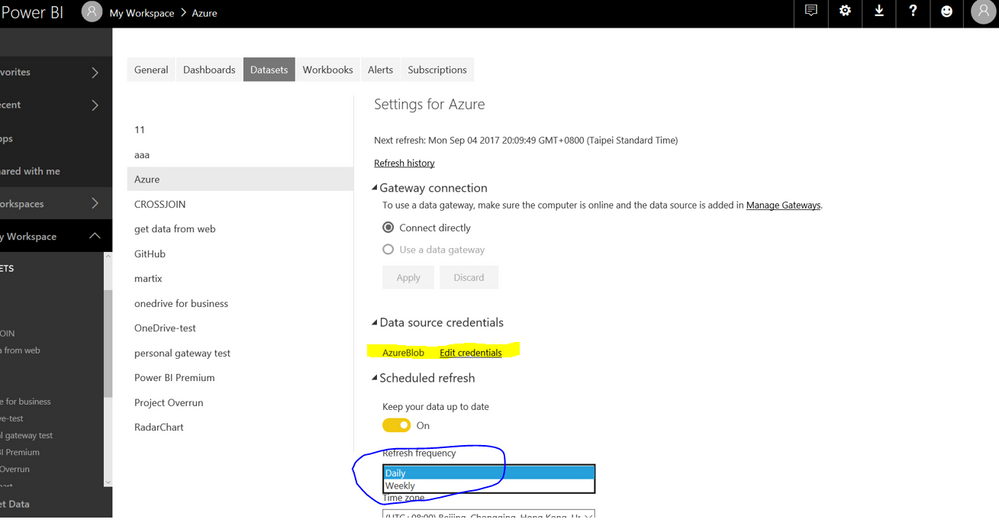
In Power Service, please right click Dataset->Schedule Refresh, you will get the following screenshot. Please Edit Credentials using your Account. Turn on the "Keep your data up to date", and you can choose Daily/Weekly refresh frequency. Finally click the "Apply", the data will update automatically.
In addition, if you want to refresh real time or at least every 10 mins. You will have two options.
For one thing, you can purchase Power BI Premium, there is no refresh frequency limitation for premium account. You can update data at least every10 mins.
For another, for making reports up to date real time. You can create Azure Stream Analytics getting streaming IoT Data instead of Azure Storage Blob. Then you can create a real-time dashboard by Azure Stream Analytics. For more details, please review the following articles.
Get started with Azure Stream Analytics to process data from IoT devices
Stream Analytics and Power BI: A real-time analytics dashboard for streaming data
Hi @santiagomur
don't know if you have the blob events but try power automate/flows
https://powerbi.microsoft.com/en-us/blog/refresh-your-power-bi-dataset-using-microsoft-flow/
or list of power automate options hire
https://flow.microsoft.com/en-us/connectors/shared_azureblob/azure-blob-storage/
Check out the April 2026 Power BI update to learn about new features.
Sign up to receive a private message when registration opens and key events begin.
If you have recently started exploring Fabric, we'd love to hear how it's going. Your feedback can help with product improvements.
| User | Count |
|---|---|
| 11 | |
| 9 | |
| 8 | |
| 8 | |
| 7 |
| User | Count |
|---|---|
| 50 | |
| 27 | |
| 23 | |
| 23 | |
| 22 |