cancel
Showing results for 
Search instead for 
Did you mean: 

The Power BI Data Visualization World Championships is back! Get ahead of the game and start preparing now! Learn more

Reply
Anonymous
Not applicable

dynamic RLS is not working with App

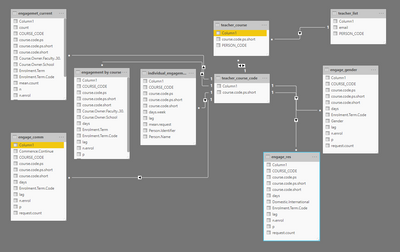
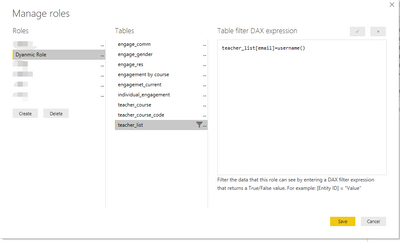
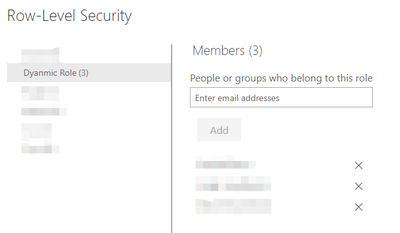
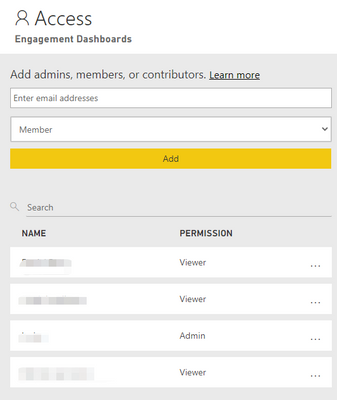
Hi PBI experts, I am very new to PBI and recently started build some reports in PBI. I had an issue with the dynamic RLS when I published the reports via the App. I set up dynamic RLS as instructed in PBI desktop using "=username()" function and publish the report to PBI service. I then set up "security" under the dataset and assigned roles to the internal testers. When I shared the report with them, it works pretty well. They only have access to part of the report. However, when I published the workspace to the App and then share the App link to them for testing, all the previous RLS didn't work at all. They have access to all parts of the report. I carefully followed all the instructions and problem-fixings but still didn't get it work properly. What I had confirmd is 1) all the internal testers are assigned with "viewer" roles in the workspace. 2) their' email address are all entered properly to the RLS roles. I am very keen to know why this is not working when I published the workspace to the App. Thank you very much for helping me! 


tonylu87_0-1612332654456.png

tonylu87_3-1612332888717.png


tonylu87_1-1612332779650.pngtonylu87_2-1612332825356.png


1 ACCEPTED SOLUTION
Anonymous
Not applicable

Hi@Anonymous,


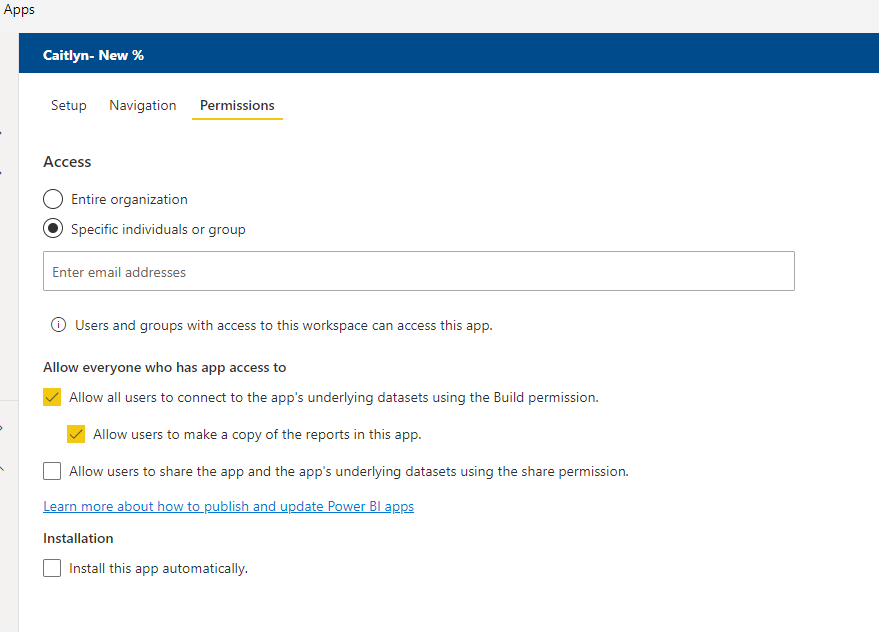
Please check if you give them the app’s underlying datasets using permission in the app . That’s may cause this problem.


0215-A.png


Hope it helps.


Best Regards,
Caitlyn Yan

If this post helps then please consider Accept it as the solution to help the other members find it more quickly.

View solution in original post

3 REPLIES 3
Anonymous
Not applicable

Hi@Anonymous,


Please check if you give them the app’s underlying datasets using permission in the app . That’s may cause this problem.


0215-A.png


Hope it helps.


Best Regards,
Caitlyn Yan

If this post helps then please consider Accept it as the solution to help the other members find it more quickly.

Anonymous
Not applicable

Thanks for the suggestion. Unfortunately I've tried but still didn't work. One of my tester gave a screenshot when he installed the "app", it shows he is the owner of the app workspace after installation. Is it correct? 

ibarrau
Super User
Super User

Hi. This sounds weird. My first idea was that you should check members as Viewers, but you say they are. I had a problem once a long time ago with dynamic RLS that I can't understand yet why that happen. My solution was changing USERNAME() to USERPRINCIPALNAME( ). I still don't know why the first one didn't work because is the one I always use, but that might be a test for you and I hope it works :S

Regards,

P/D Unpublish/delete and publish again the app after a RLS configuration (not upgrade/upload)


If this post helps, then please consider Accept it as the solution to help the other members find it more quickly.

Happy to help!

LaDataWeb Blog

Helpful resources

Announcements
Power BI DataViz World Championships

Power BI Dataviz World Championships

The Power BI Data Visualization World Championships is back! Get ahead of the game and start preparing now!

December 2025 Power BI Update Carousel

Power BI Monthly Update - December 2025

Check out the December 2025 Power BI Holiday Recap!

FabCon Atlanta 2026 carousel

FabCon Atlanta 2026

Join us at FabCon Atlanta, March 16-20, for the ultimate Fabric, Power BI, AI and SQL community-led event. Save $200 with code FABCOMM.