
Don't miss your chance to take the Fabric Data Engineer (DP-600) exam for FREE! Find out how by watching the DP-600 session on-demand now through April 28th.
Learn moreJoin the FabCon + SQLCon recap series. Up next: Power BI, Real-Time Intelligence, IQ and AI, and Data Factory take center stage. All sessions are available on-demand after the live show. Register now
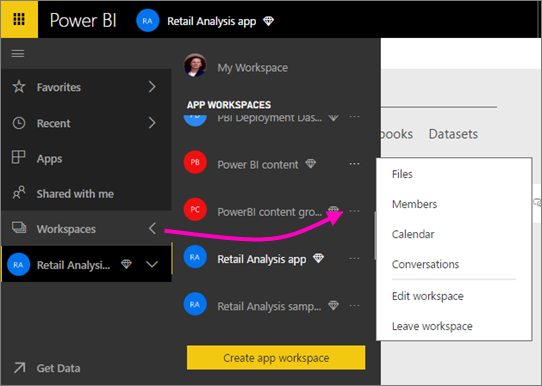
When I go to this page in the online docs, it shows this context menu:
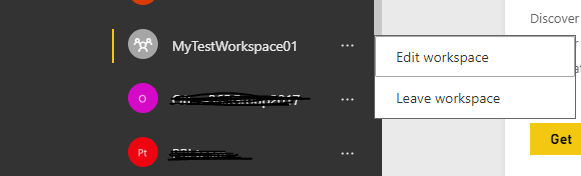
I only have this menu however - it's missing the top 4 options.
I created all of these workspaces and I'm the sole admin of them. I also have the following Office 365 roles
Anyone got any ideas?
Thanks in advance 🙂
Hi @laserkiwi,
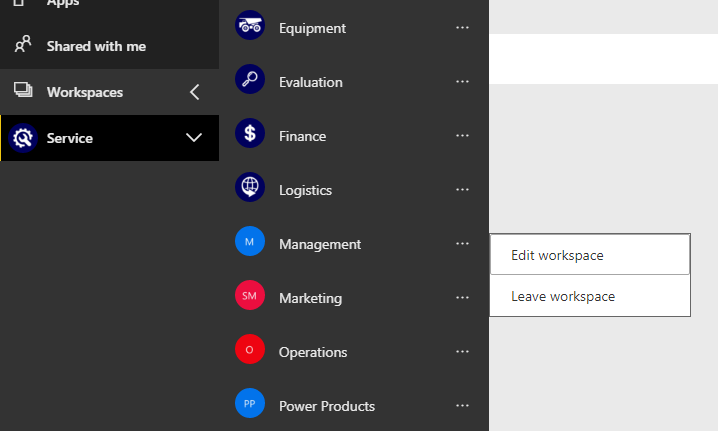
A new created App Workspace will only show two options as you mentioned above: "Edit Workspace" and "Leave Workspace". Please wait for a while, all other 4 options will be available.
Once created.
After about 20 minutes later.
Best regards,
Yuliana Gu
Hi Yuliana
It's been about 2 months since I created them - I just then turned my attention to developing reports in Desktop, so I haven't been concentrating on setting them up properly until now.
Hi @laserkiwi,
For this problem, I would suggest you create a support ticket for further analysis.
Regards,
Yuliana Gu
Check out the April 2026 Power BI update to learn about new features.
If you have recently started exploring Fabric, we'd love to hear how it's going. Your feedback can help with product improvements.
A new Power BI DataViz World Championship is coming this June! Don't miss out on submitting your entry.
| User | Count |
|---|---|
| 9 | |
| 8 | |
| 8 | |
| 8 | |
| 7 |
| User | Count |
|---|---|
| 37 | |
| 29 | |
| 26 | |
| 19 | |
| 19 |