cancel
Showing results for 
Search instead for 
Did you mean: 

A new Data Days event is coming soon! This time we’re going bigger than ever. Fabric, Power BI, SQL, AI and more. Don't miss out.

Reply
johnkama
Frequent Visitor

Workspace & App creation

Hi, I have an issue to access App in below scenario.

I have 2 workspaces say WS1 and WS2. WS1 used to publish report and WS2 to create App.

I publish power Bi report to WS1, then save a copy of report to WS2 from WS1 and publish app from WS2.

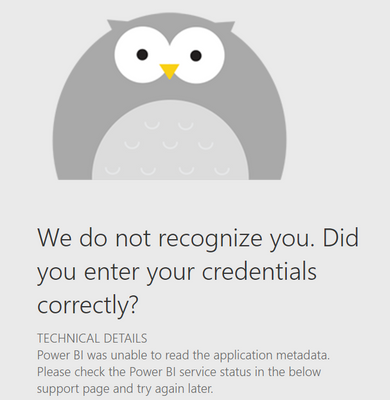
When user access App link, app throwing below error. Is this approach work? What is the best approach for above scenario.

When I publish report straight to WS2, no issue. User able to access the app.


johnkama_0-1663837524681.png

Thanks in advance.


1 ACCEPTED SOLUTION
Burningsuit
Resident Rockstar
Resident Rockstar

Hi @johnkama 

Yes, the App expects to find the Dataset in the same Workspace that it was built from, which explains your findings.

However I don't see why you need two Workspaces, you can share a Report from the Workspace used to build the App, if required, and of course putting the Report into the App and then sharing the App will share the Report.

So usually you only need one Workspace for both sharing and building an App. 

It may be you want to share the App Reports with more than one Audience, and this is a feature that has just been released for Apps, which may help your requirement.

See: Announcing Public Preview of Multiple Audiences for Power BI Apps | Microsoft Power BI Blog | Micros...

Hope this helps

Stuart 

View solution in original post

2 REPLIES 2
Burningsuit
Resident Rockstar
Resident Rockstar

Hi @johnkama 

Yes, the App expects to find the Dataset in the same Workspace that it was built from, which explains your findings.

However I don't see why you need two Workspaces, you can share a Report from the Workspace used to build the App, if required, and of course putting the Report into the App and then sharing the App will share the Report.

So usually you only need one Workspace for both sharing and building an App. 

It may be you want to share the App Reports with more than one Audience, and this is a feature that has just been released for Apps, which may help your requirement.

See: Announcing Public Preview of Multiple Audiences for Power BI Apps | Microsoft Power BI Blog | Micros...

Hope this helps

Stuart 

Thank you Stuart. 

Reason we use multiple workspaces is, multiple reports are publishing to one common workspace and building app for each individual reports and provide report access to contributors to amend report in another workspace.

Helpful resources

Announcements
May Power BI Update Carousel

Power BI Monthly Update - May 2026

Check out the May 2026 Power BI update to learn about new features.

Fabric SQL PBI Data Days

Data Days 2026 coming soon!

Sign up to receive a private message when registration opens and key events begin.

New to Fabric survey Carousel

New to Fabric Survey

If you have recently started exploring Fabric, we'd love to hear how it's going. Your feedback can help with product improvements.

Power BI DataViz World Championships carousel

Power BI DataViz World Championships - June 2026

A new Power BI DataViz World Championship is coming this June! Don't miss out on submitting your entry.