This is best Fabric, Power BI, SQL and AI community event. How do we know? The last event sold out! Save €200 with code FABCMTY200.
Register nowA new Data Days event is coming soon! This time we’re going bigger than ever. Fabric, Power BI, SQL, AI and more. Don't miss out.
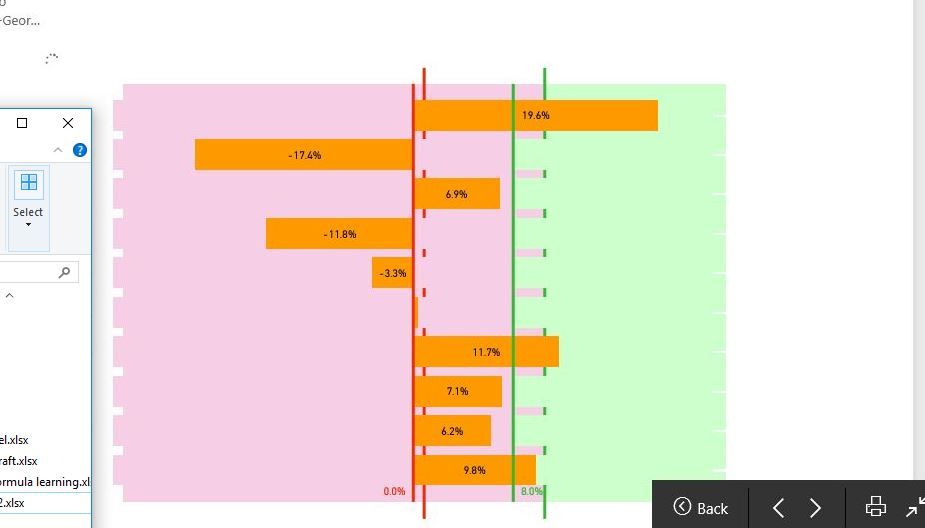
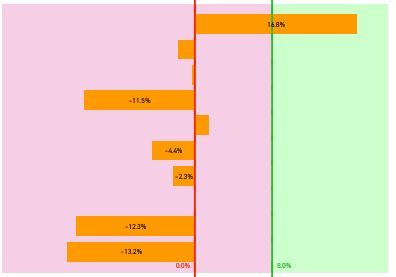
hi there, when I select the slicer, the visuals are not being updated simultaneously. when the visuals being processed, it shows on the screen as the first screenshot above. The second screenshot is the visual after finished processing.
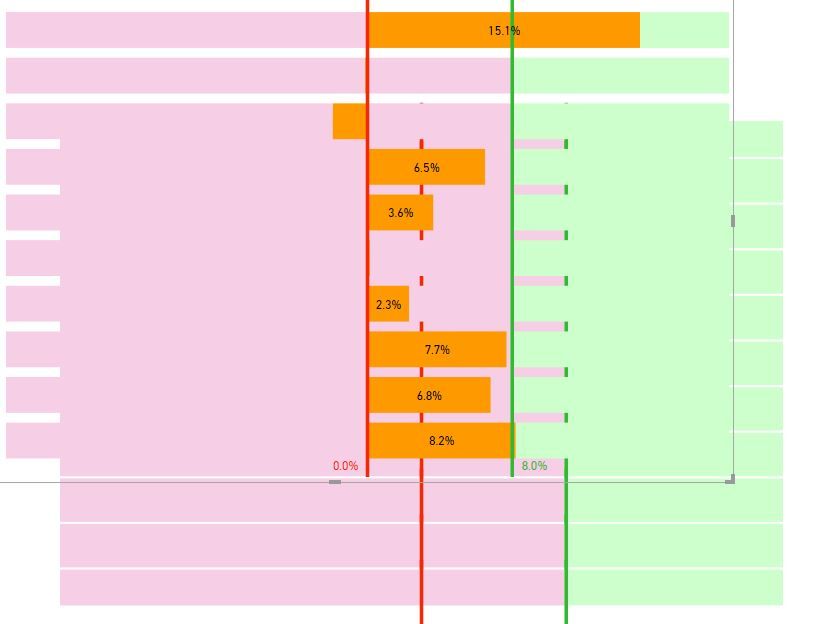
I have also attached the third screenshot showing the combination of visuals. Basically, duplicate another visual to fill the gap of the bars of "stacked bar chart". So when the slicer is selected, the front and bottom visual update simultaneously. I do not want to show on screen when bi processing as the first screenshot looks strange, just want to see the final result, how to do that? thanks
Hi @erihsehc,
Actually, I am really confused about your operation and requirements. What's the meaning of "the visuals are not being updated simultaneously. when the visuals being processed"? I can't imagine your scenario. You'd better post your .pbix file and more details for further analysis?
Best Regards,
Angelia
Check out the May 2026 Power BI update to learn about new features.
Sign up to receive a private message when registration opens and key events begin.
If you have recently started exploring Fabric, we'd love to hear how it's going. Your feedback can help with product improvements.
| User | Count |
|---|---|
| 11 | |
| 10 | |
| 7 | |
| 7 | |
| 7 |
| User | Count |
|---|---|
| 28 | |
| 25 | |
| 22 | |
| 21 | |
| 21 |