Don't miss your chance to take the Fabric Data Engineer (DP-600) exam for FREE! Find out how by attending the DP-600 session on April 23rd (pacific time), live or on-demand.
Learn moreJoin the FabCon + SQLCon recap series. Up next: Power BI, Real-Time Intelligence, IQ and AI, and Data Factory take center stage. All sessions are available on-demand after the live show. Register now
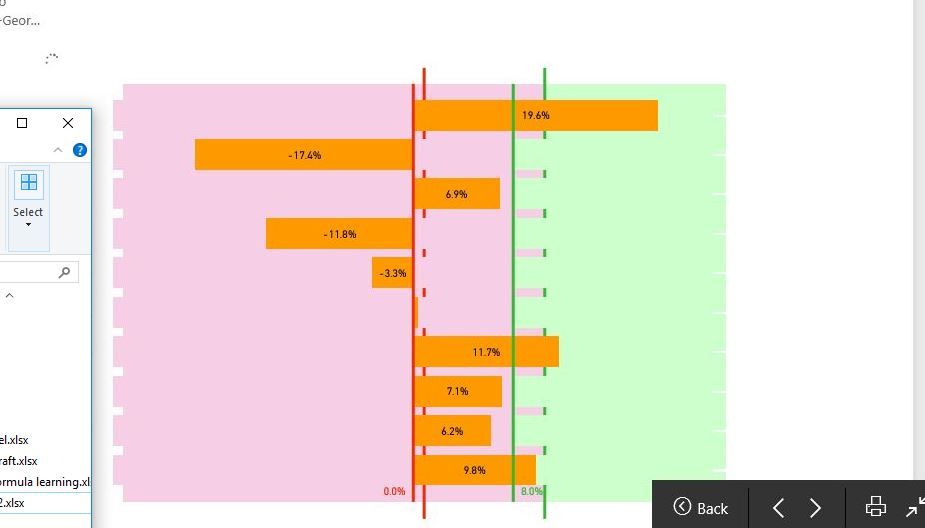
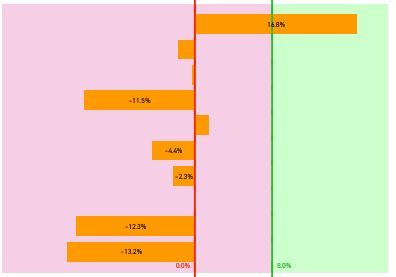
hi there, when I select the slicer, the visuals are not being updated simultaneously. when the visuals being processed, it shows on the screen as the first screenshot above. The second screenshot is the visual after finished processing.
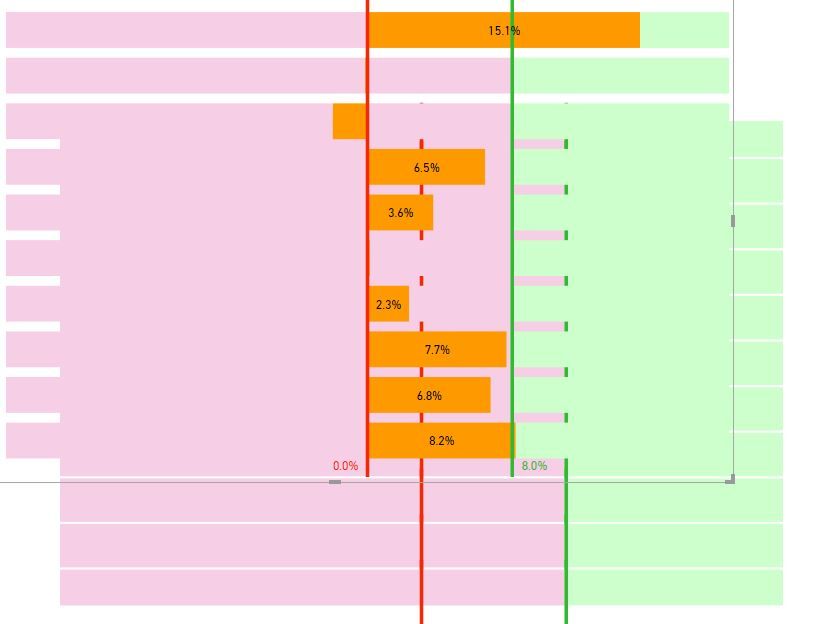
I have also attached the third screenshot showing the combination of visuals. Basically, duplicate another visual to fill the gap of the bars of "stacked bar chart". So when the slicer is selected, the front and bottom visual update simultaneously. I do not want to show on screen when bi processing as the first screenshot looks strange, just want to see the final result, how to do that? thanks
Hi @erihsehc,
Actually, I am really confused about your operation and requirements. What's the meaning of "the visuals are not being updated simultaneously. when the visuals being processed"? I can't imagine your scenario. You'd better post your .pbix file and more details for further analysis?
Best Regards,
Angelia
Check out the April 2026 Power BI update to learn about new features.
If you have recently started exploring Fabric, we'd love to hear how it's going. Your feedback can help with product improvements.
A new Power BI DataViz World Championship is coming this June! Don't miss out on submitting your entry.
| User | Count |
|---|---|
| 11 | |
| 10 | |
| 9 | |
| 8 | |
| 8 |