cancel
Showing results for 
Search instead for 
Did you mean: 

Level up your Power BI skills this month - build one visual each week and tell better stories with data! Get started

Reply
JW_PBI_fan
Helper I
Helper I

Visual filter reset not working

Hello community,

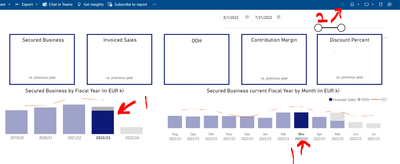
I'm not sure if this has anything to do with the recent changes made in the Power BI Service. Now, my users are not able to restore the default (original) view after filtering via click within the visuals themselves. 

JW_PBI_fan_0-1684939463837.png

Previously, they could either double click in the white space around the visuals or use the reset button.  Neither of these options work now. 

Thanks in advance for your help.

1 ACCEPTED SOLUTION

The problem has been solved.  It turns out that if there are no changes in the date slicer and you have selected filters by clicking in the visual, you must click in the visual where the filter was selected.  Otherwise, the date slicer must be adjusted and then the visual filter reset will be available.

View solution in original post

2 REPLIES 2
edhans
Community Champion
Community Champion

Have they tried refreshing their browser?
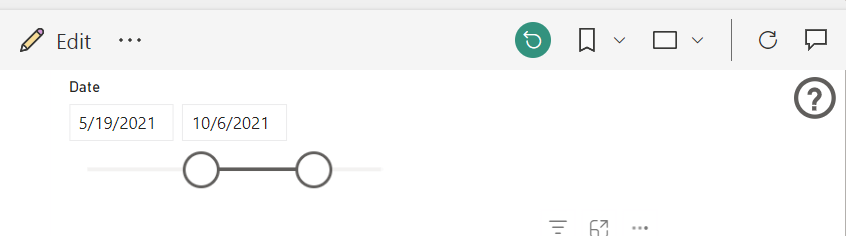
I just added a similar date slicer to my report and it works fine - 

edhans_0-1684941350417.png
If it still doesn't resolve, you might consider opening a support ticket as it could be specific to your tenant or region. Links at the bottom of this page - Support | Microsoft Power BI


Did I answer your question? Mark my post as a solution!
Did my answers help arrive at a solution? Give it a kudos by clicking the Thumbs Up!

DAX is for Analysis. Power Query is for Data Modeling


Proud to be a Super User!

MCSA: BI Reporting

The problem has been solved.  It turns out that if there are no changes in the date slicer and you have selected filters by clicking in the visual, you must click in the visual where the filter was selected.  Otherwise, the date slicer must be adjusted and then the visual filter reset will be available.

Helpful resources

Announcements
April Power BI Update Carousel

Power BI Monthly Update - April 2026

Check out the April 2026 Power BI update to learn about new features.

Fabric SQL PBI Data Days

Data Days 2026 coming soon!

Sign up to receive a private message when registration opens and key events begin.

New to Fabric survey Carousel

New to Fabric Survey

If you have recently started exploring Fabric, we'd love to hear how it's going. Your feedback can help with product improvements.

Power BI DataViz World Championships carousel

Power BI DataViz World Championships - June 2026

A new Power BI DataViz World Championship is coming this June! Don't miss out on submitting your entry.