

This is best Fabric, Power BI, SQL and AI community event. How do we know? The last event sold out! Save €200 with code FABCMTY200.
Register nowA new Data Days event is coming soon! This time we’re going bigger than ever. Fabric, Power BI, SQL, AI and more. Don't miss out.
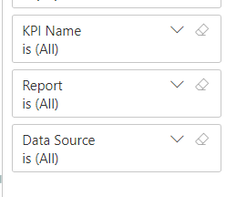
I am having trouble with a the "%" escape character in a field Value. I am confident I have the syntax per the microsoft documentation correct (https://learn.microsoft.com/en-us/power-bi/collaborate-share/service-url-filters), as I can get one escape character to work fine but not the other. Here is the situation:
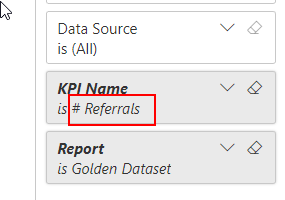
DOESNT WORK: %25 Escape Character doesnt work
WORKS: %23 Escape Character works fine
Solved! Go to Solution.
Hi @jake_BIV ,
This is an known issue , the ID is 343481950 .
Here's a workaround for your reference:
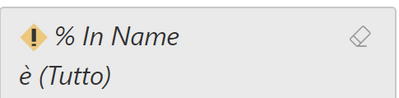
The syntax for escaping special characters is explained in the documentation: "Special characters and spaces in table and column names require more formatting. When your query contains spaces, dashes, or other non-ASCII characters, prefix those special characters with an escape code starting with an underscore and an X (_x), then the four-digit Unicode, then another underscore. If the Unicode is fewer than four characters, you need to pad it with zeroes. Here are some examples." So for example, the percentage (%) sign is _x0025_. Space is _x0020_. Here is an example:
Result:
Best regards,
Yadong Fang
If this post helps, then please consider Accept it as the solution to help the other members find it more quickly.
Hi @jake_BIV ,
This is an known issue , the ID is 343481950 .
Here's a workaround for your reference:
The syntax for escaping special characters is explained in the documentation: "Special characters and spaces in table and column names require more formatting. When your query contains spaces, dashes, or other non-ASCII characters, prefix those special characters with an escape code starting with an underscore and an X (_x), then the four-digit Unicode, then another underscore. If the Unicode is fewer than four characters, you need to pad it with zeroes. Here are some examples." So for example, the percentage (%) sign is _x0025_. Space is _x0020_. Here is an example:
Result:
Best regards,
Yadong Fang
If this post helps, then please consider Accept it as the solution to help the other members find it more quickly.
I submitted a ticket and Microsoft thinks it's a bug.
The same question has been asked last week, without resolution. You can raise an issue at https://issues.powerbi.com . If you have a Pro license you can consider raising a Pro ticket at https://powerbi.microsoft.com/en-us/support/pro/
Check out the May 2026 Power BI update to learn about new features.
Sign up to receive a private message when registration opens and key events begin.
If you have recently started exploring Fabric, we'd love to hear how it's going. Your feedback can help with product improvements.
| User | Count |
|---|---|
| 9 | |
| 9 | |
| 8 | |
| 7 | |
| 7 |
| User | Count |
|---|---|
| 24 | |
| 19 | |
| 17 | |
| 17 | |
| 16 |