This time we’re going bigger than ever. Fabric, Power BI, SQL, AI and more. We're covering it all. You won't want to miss it.
Learn moreLevel up your Power BI skills this month - build one visual each week and tell better stories with data! Get started
Hi @therealomacoder ,
Due to the troubleshooting involved, the problem may have been caused by multiple causes, and without a specific environment to test, Pls refer the below link and check if it is helpful:
https://docs.microsoft.com/en-us/sharepoint/troubleshoot/setup/onedrive-stopped-at-setting-up-screen
Did I answer your question? Mark my post as a solution!
Best Regards
Lucien
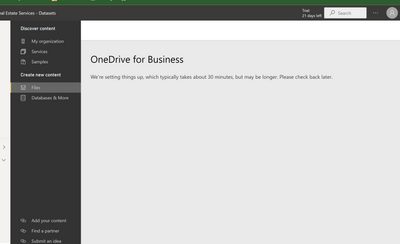
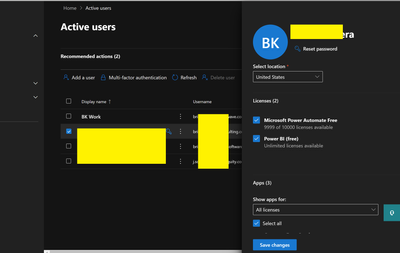
Ok - interesting. I can't get into 365 admin center. But I don't have the option to add license for OneDrive like mentioned in that support article? Could this be the issue?
Have you tried to log out of Power BI and log back in?
Yes, also have gone in Incognito mode, also have tried it from another workstation, and have also rebooted about 10 times over the past few days.
I would then chat to your Office 365 Admin to see if they can assist you as it seems to be an issue between PBI and OneDrive.
I am the admin.
The only other option then I would suggest is to log a support ticket to see what is happening under the hoods from the PBI team.
Check out the April 2026 Power BI update to learn about new features.
Sign up to receive a private message when registration opens and key events begin.
If you have recently started exploring Fabric, we'd love to hear how it's going. Your feedback can help with product improvements.
| User | Count |
|---|---|
| 11 | |
| 9 | |
| 8 | |
| 6 | |
| 6 |
| User | Count |
|---|---|
| 40 | |
| 27 | |
| 25 | |
| 22 | |
| 22 |