This is best Fabric, Power BI, SQL and AI community event. How do we know? The last event sold out! Save €200 with code FABCMTY200.
Register nowA new Data Days event is coming soon! This time we’re going bigger than ever. Fabric, Power BI, SQL, AI and more. Don't miss out.
I'm new to Powerbi, and I'm having trouble converting this SQL code to DAX
measure: perc_ating {
label: "∆ % Monthly Goal"
type: number
sql: case when
${perc_ating_aux} >= 0 then ${perc_ating_aux}
else 100 end
;;
value_format: "#.0\%"
}.
Can anybody help me
@user2023 This would be easier with sample data and expected output but maybe try:
perc_ating measure = IF( [perc_ating_aux] >= 0, [perc_ating_aux], 100)
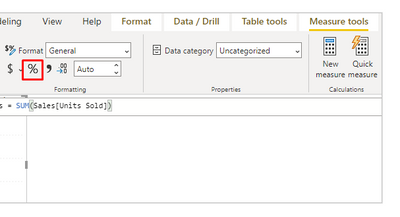
@Greg_Deckler But how would I put the value format "#.0\%" for it to come within this condition?
@user2023 Either @R1k91 's method or you can use a Custom Format String. Use custom format strings in Power BI Desktop - Power BI | Microsoft Learn. You could use FORMAT but that will turn it into text.
Sign up to receive a private message when registration opens and key events begin.
If you have recently started exploring Fabric, we'd love to hear how it's going. Your feedback can help with product improvements.
| User | Count |
|---|---|
| 11 | |
| 10 | |
| 7 | |
| 7 | |
| 6 |
| User | Count |
|---|---|
| 28 | |
| 26 | |
| 22 | |
| 22 | |
| 19 |