Share feedback directly with Fabric product managers, participate in targeted research studies and influence the Fabric roadmap.
Sign up nowGet Fabric certified for FREE! Don't miss your chance! Learn more
I'm new to Powerbi, and I'm having trouble converting this SQL code to DAX
measure: perc_ating {
label: "∆ % Monthly Goal"
type: number
sql: case when
${perc_ating_aux} >= 0 then ${perc_ating_aux}
else 100 end
;;
value_format: "#.0\%"
}.
Can anybody help me
@user2023 This would be easier with sample data and expected output but maybe try:
perc_ating measure = IF( [perc_ating_aux] >= 0, [perc_ating_aux], 100)
@Greg_Deckler But how would I put the value format "#.0\%" for it to come within this condition?
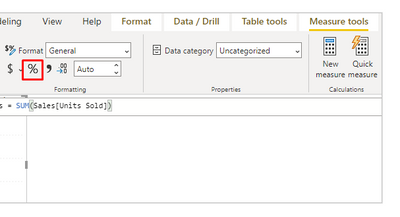
@user2023 Either @R1k91 's method or you can use a Custom Format String. Use custom format strings in Power BI Desktop - Power BI | Microsoft Learn. You could use FORMAT but that will turn it into text.
Share feedback directly with Fabric product managers, participate in targeted research studies and influence the Fabric roadmap.
If you love stickers, then you will definitely want to check out our Community Sticker Challenge!
Check out the January 2026 Power BI update to learn about new features.
| User | Count |
|---|---|
| 19 | |
| 8 | |
| 7 | |
| 7 | |
| 7 |
| User | Count |
|---|---|
| 52 | |
| 46 | |
| 25 | |
| 25 | |
| 24 |