cancel
Showing results for 
Search instead for 
Did you mean: 

The Power BI Data Visualization World Championships is back! It's time to submit your entry. Live now!

Reply
petermcnally
Advocate IV
Advocate IV

R background image error

Hello,


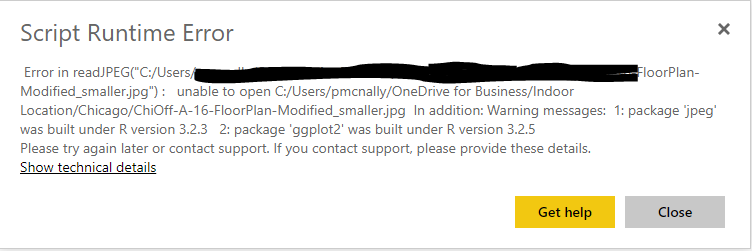
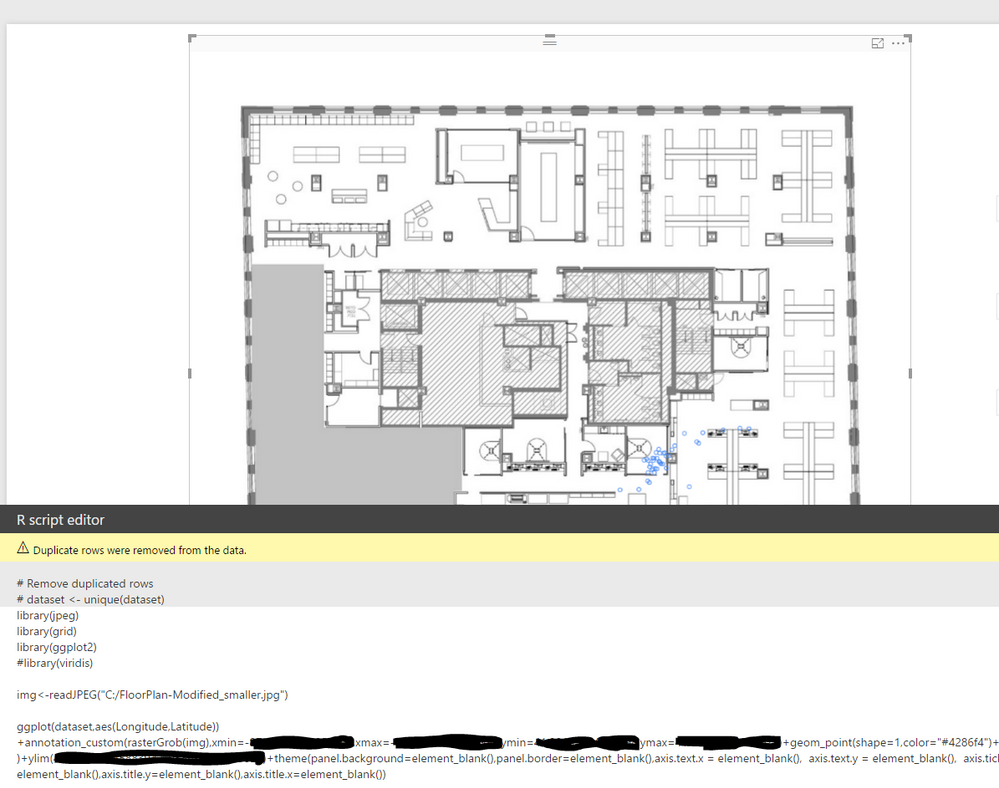
I am using the R script visual to plot a scatterplot of latitude and longitude on a floor plan.  The floor plan is just a jpg in the background.  The jpg is stored locally.  It appears the power bi service can't see it.  Where can I put it so it can see it for me and other users that have access to the report on powerbi.com


See attached for Error msg and also screenshot of the functioning desktop version.


ThanksR errorR errorFunctional Desktop versionFunctional Desktop version

1 ACCEPTED SOLUTION

I finally got this working with help from @boefraty.


I encoded the image as base64 (here for example: https://www.base64-image.de), then read it into my rscript, decoded, and used it as a raster.  I am still looking for a more elegent solution for diplaying points on an interior space. Below is the code.


library(jpeg)
library(ggplot2)
library(base64enc)

b64img2<-"encoded string here"

rawimg<-base64decode(b64img2) img<-readJPEG(rawimg) rast<-grid::rasterGrob(img,interpolate=T) ggplot(dataset,aes(Longitude,Latitude))+annotation_custom(rast,xmin=-85,xmax=-84,ymin=45,ymax=46)+geom_point(aes(color=factor(DeviceName)),shape=1,show.legend=FALSE)+xlim(-85,-84)+ylim(45,46)+theme(panel.background=element_blank(),panel.border=element_blank(),axis.text.x = element_blank(), axis.text.y = element_blank(), axis.ticks = element_blank(),axis.title.y=element_blank(),axis.title.x=element_blank())


View solution in original post

5 REPLIES 5
Anonymous
Not applicable

@petermcnally The issue is most likely that you are using an R package (library) that isn't supported. Here is the limitation article with links to the exact supported packages.

Well, I am only loading three packages, ggplot2, jpeg and grid.  The first two are on the list.  Odd that grid is not, as it is part of the base installation.  So, I don't think that is the case here.

Anonymous
Not applicable

@petermcnally Pretty certain that if it isn't on the list, it won't work. Can you swap out for GridBase or GridExtra, those appear to be supported.

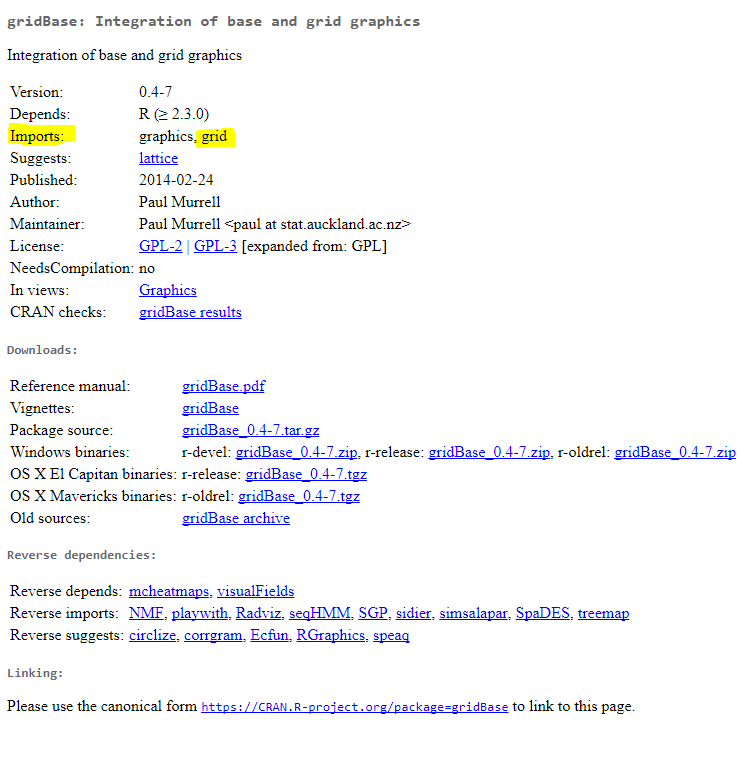
That would be pretty strange that gridBase and gridExtra would work, but grid doesn't. As you can see in the attached, grid is a required package for gridBase.  Again, grid is installed by Power BI in the library when installing R from PowerBI desktop.

gridBase.PNG


I finally got this working with help from @boefraty.


I encoded the image as base64 (here for example: https://www.base64-image.de), then read it into my rscript, decoded, and used it as a raster.  I am still looking for a more elegent solution for diplaying points on an interior space. Below is the code.


library(jpeg)
library(ggplot2)
library(base64enc)

b64img2<-"encoded string here"

rawimg<-base64decode(b64img2) img<-readJPEG(rawimg) rast<-grid::rasterGrob(img,interpolate=T) ggplot(dataset,aes(Longitude,Latitude))+annotation_custom(rast,xmin=-85,xmax=-84,ymin=45,ymax=46)+geom_point(aes(color=factor(DeviceName)),shape=1,show.legend=FALSE)+xlim(-85,-84)+ylim(45,46)+theme(panel.background=element_blank(),panel.border=element_blank(),axis.text.x = element_blank(), axis.text.y = element_blank(), axis.ticks = element_blank(),axis.title.y=element_blank(),axis.title.x=element_blank())


Helpful resources

Announcements
Power BI DataViz World Championships

Power BI Dataviz World Championships

The Power BI Data Visualization World Championships is back! It's time to submit your entry.

January Power BI Update Carousel

Power BI Monthly Update - January 2026

Check out the January 2026 Power BI update to learn about new features.

FabCon Atlanta 2026 carousel

FabCon Atlanta 2026

Join us at FabCon Atlanta, March 16-20, for the ultimate Fabric, Power BI, AI and SQL community-led event. Save $200 with code FABCOMM.