Get certified for free when you join Fabric Data Days 2026 and dive into Fabric, Power BI, SQL, AI, and other essential data skills.
Join nowData Days is here! Join us now for 60+ days of learning, challenges, and connection. Learn more
we get a problem like this:
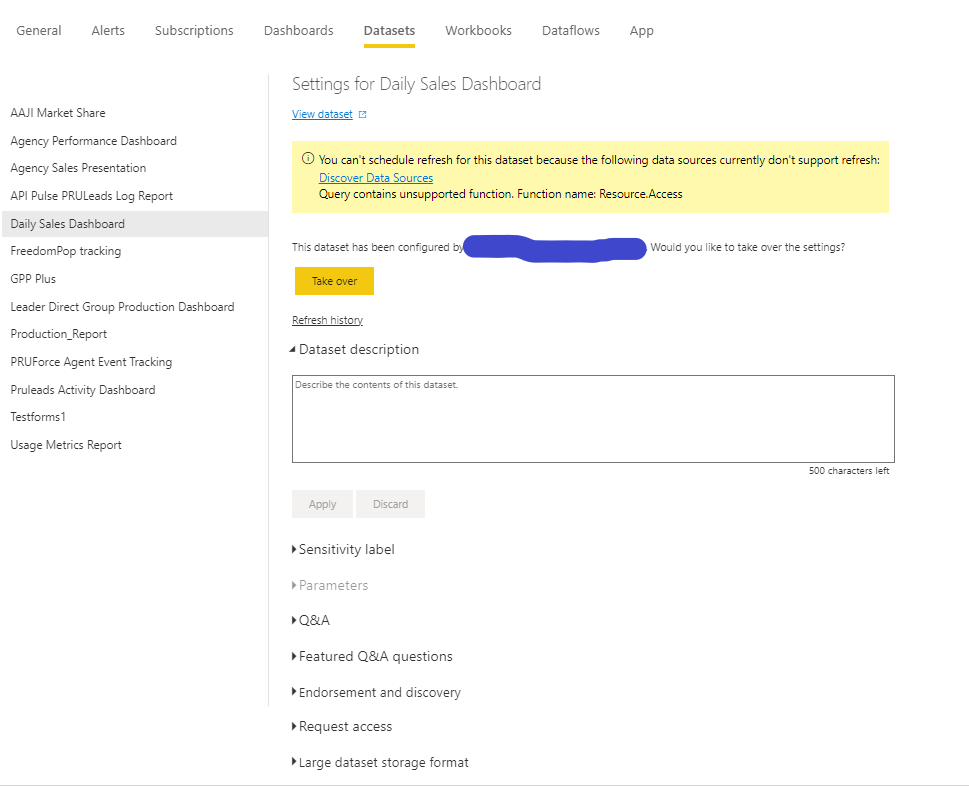
"You can't schedule refresh for this dataset because the following data sources currently don't support refresh:
Query contains unsupported function. Function name: Resource.Access".
As a result, schedule and gateway options cannot be seen in power bi settings, and cannot create scheduler. even if i do a manual refresh, it will fail at the same time.
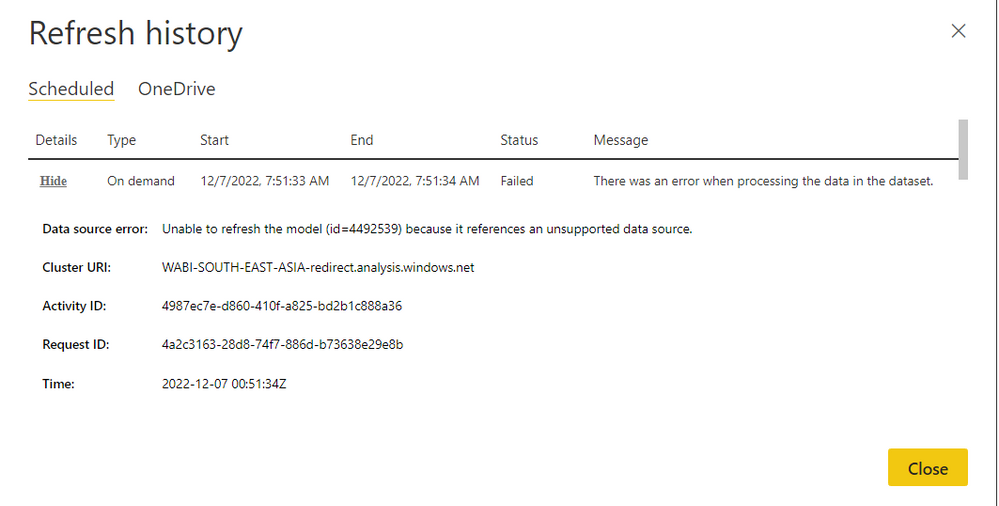
"Data source error: Unable to refresh the model (id=4492539) because it references an unsupported data source."
I can only refresh on pbix desktop only.
please help regarding this problem.
notes :
-We use datasource COUCHBASE (CB), sqlserver, greenplum (GP) and excel online.
-Attached is an error screen capture in the settings section, and an error after manually refreshing
Solved! Go to Solution.
I've found where the problem is, as well as the solution.
first, please check every single data source that you use.
you can check this link : https://learn.microsoft.com/en-us/power-bi/connect-data/service-admin-troubleshoot-unsupported-data-...
then check your datasource, is it registered in this list: https://learn.microsoft.com/en-us/power-bi/connect-data/power-bi-data-sources
if you can't find the datasource you are using, it means the datasource is no longer usable.
for my case i use CdataCouchbase.
the solution for my condition, I can change it from CdataCouchbase to use ODBC, because ODBC is still registered in Datasource PBI list.
replace it like this:
from this :
= CdataCouchbase.DataSource("dnsName", null, [Query="<query>"])
to this :
= Odbc.Query("dsn=dnsName", "<query>")
i hope this can help. thx.
I've found where the problem is, as well as the solution.
first, please check every single data source that you use.
you can check this link : https://learn.microsoft.com/en-us/power-bi/connect-data/service-admin-troubleshoot-unsupported-data-...
then check your datasource, is it registered in this list: https://learn.microsoft.com/en-us/power-bi/connect-data/power-bi-data-sources
if you can't find the datasource you are using, it means the datasource is no longer usable.
for my case i use CdataCouchbase.
the solution for my condition, I can change it from CdataCouchbase to use ODBC, because ODBC is still registered in Datasource PBI list.
replace it like this:
from this :
= CdataCouchbase.DataSource("dnsName", null, [Query="<query>"])
to this :
= Odbc.Query("dsn=dnsName", "<query>")
i hope this can help. thx.
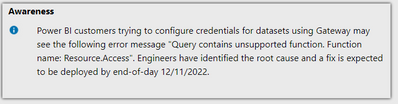
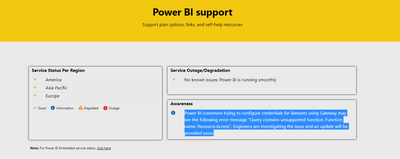
mine is already Odbc.Query like you have shown, I use denodo. There has been an update by support team, see screenshot below.
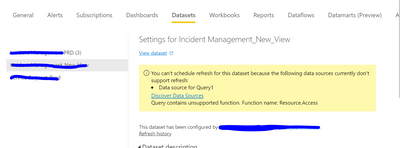
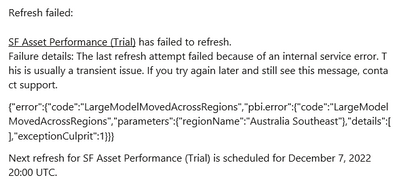
Even I am also facing the same challenge you can see below my error:
Please help this to get resolve
do you use the same datasource with me? like the CouchBase or datasource that I described above?
same issue, same region too
Don't miss out on Data Days, June 15 through August 7. Learn Fabric, Power BI, SQL, AI and more.
Check out the May 2026 Power BI update to learn about new features.
| User | Count |
|---|---|
| 16 | |
| 10 | |
| 10 | |
| 8 | |
| 7 |
| User | Count |
|---|---|
| 40 | |
| 36 | |
| 34 | |
| 28 | |
| 20 |