Join us at FabCon Atlanta from March 16 - 20, 2026, for the ultimate Fabric, Power BI, AI and SQL community-led event. Save $200 with code FABCOMM.
Register now!The Power BI Data Visualization World Championships is back! Get ahead of the game and start preparing now! Learn more
Hello,
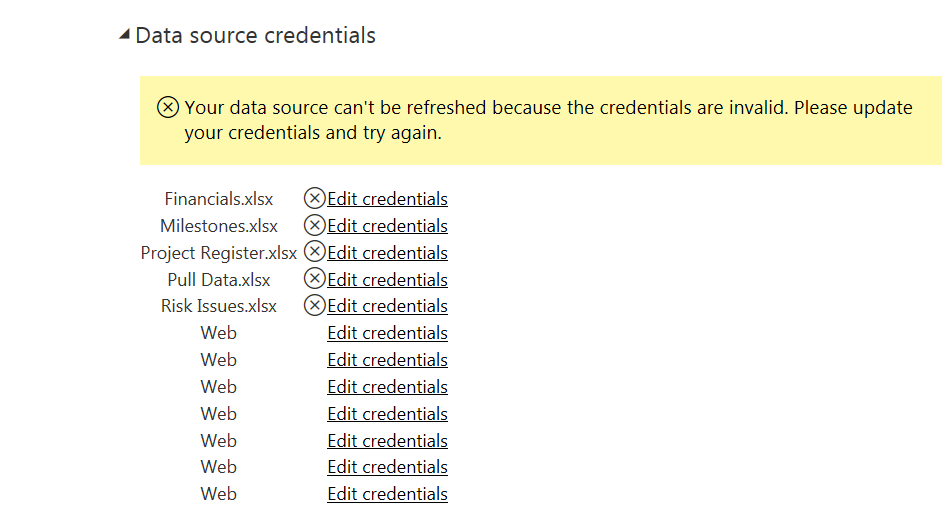
I have a Desktop Report and associated files stored in my OneDrive for Business. I am trying to do a package refresh but am having trouble with the credentials. This Report, as far as I can tell, doesn't link to any off line reports at all (it did whilst I was building the report initially, but those data sources have since been amended to OneDrive files) Despite this, it is asking me to edit credentials for my H: drive and utilise a Gateway, which I do not want to do. Any thoughts on why it would be asking me to do this and how I can resolve?
Thanks
Solved! Go to Solution.
I managed to get it working by refreshing my desktop file, and then saving, dragging and dropping it back into OneDrive. I don't know whether there was some sort of phantom credentials which didn't get updated after I changed them, but the offline refresh seems to have done the trick
@AlexP1981 hello, read this article, and try to do the same https://docs.microsoft.com/pt-br/power-bi/refresh-desktop-file-onedrive#onedrive-or-onedrive-for-bus...
Have you using the same account of PBI to Onedrive?
Let me know if this article help you!
Thanks for posting the link. I did get it up and running in the end. I've posted the solution below.
The Power BI Data Visualization World Championships is back! Get ahead of the game and start preparing now!