Get certified for free when you join Fabric Data Days 2026 and dive into Fabric, Power BI, SQL, AI, and other essential data skills.
Join nowJuly 7 - July 17 | Round 2 of the Power BI Dataviz World Championships. Don't miss your chance! Learn more
I created a two roles on Power BI Desktop they work, when I test them on Power BI service it doesn't work, here are the codes. Can someone help me understand what happened please?
ROLE 1
IF(
MAXX(
FILTER('DISTRIBUTOR_USERS','DISTRIBUTOR_USERS'[Email]=USERPRINCIPALNAME()),
'DISTRIBUTOR_USERS'[DISTRIBUTOR_USERS])=1,
'DISTRIBUTOR_USERS'[Email]=USERPRINCIPALNAME(),
1=0)
ROLE 2
[AccountId] = LOOKUPVALUE('HR_USERS'[AccountId],
'HR_USERS'[Email],USERPRINCIPALNAME(),'HR_USERS'[AccountId],'Contact'[AccountId],'Contact'[HR_USERS]=0
)
&& 'Contact'[HR_USERS]=0
Thanks you.
Hi @Huguo90
Could I ask how you are testing the roles?
If you are testing with your own account, that will not work because you uploaded the PBIX you are an Admin and will always see everything.
You will need to log in as one of those other users to test.
Hello @GilbertQ ,
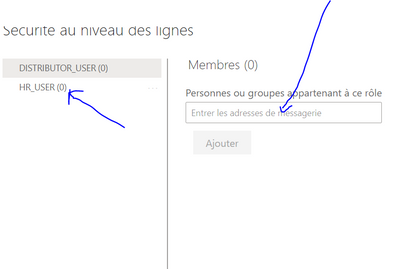
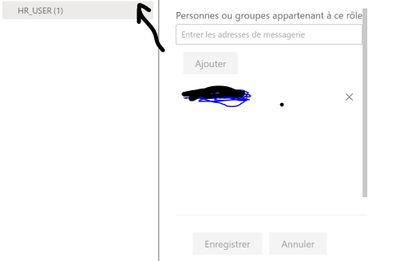
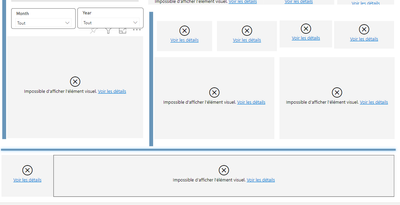
I go to security as on dataset, I put the email adress on the role and after that I click on tested as role. But It's don't work. The distributor_user works but not the RH USER:
Normaly, I do the to good step.
Join us in Barcelona for FabCon and SQLCon, the Fabric, Power BI, SQL, and AI community event. Save €200 with code FABCMTY200.
Join Data Days 2026: 60 days of free live/on-demand sessions, challenges, study groups, and certification opportunities.
| User | Count |
|---|---|
| 22 | |
| 10 | |
| 10 | |
| 6 | |
| 4 |
| User | Count |
|---|---|
| 32 | |
| 25 | |
| 18 | |
| 18 | |
| 17 |