This time we’re going bigger than ever. Fabric, Power BI, SQL, AI and more. We're covering it all. You won't want to miss it.
Learn moreDid you hear? There's a new SQL AI Developer certification (DP-800). Start preparing now and be one of the first to get certified. Register now
I created a two roles on Power BI Desktop they work, when I test them on Power BI service it doesn't work, here are the codes. Can someone help me understand what happened please?
ROLE 1
IF(
MAXX(
FILTER('DISTRIBUTOR_USERS','DISTRIBUTOR_USERS'[Email]=USERPRINCIPALNAME()),
'DISTRIBUTOR_USERS'[DISTRIBUTOR_USERS])=1,
'DISTRIBUTOR_USERS'[Email]=USERPRINCIPALNAME(),
1=0)
ROLE 2
[AccountId] = LOOKUPVALUE('HR_USERS'[AccountId],
'HR_USERS'[Email],USERPRINCIPALNAME(),'HR_USERS'[AccountId],'Contact'[AccountId],'Contact'[HR_USERS]=0
)
&& 'Contact'[HR_USERS]=0
Thanks you.
Hi @Huguo90
Could I ask how you are testing the roles?
If you are testing with your own account, that will not work because you uploaded the PBIX you are an Admin and will always see everything.
You will need to log in as one of those other users to test.
Hello @GilbertQ ,
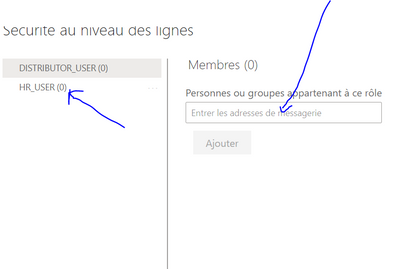
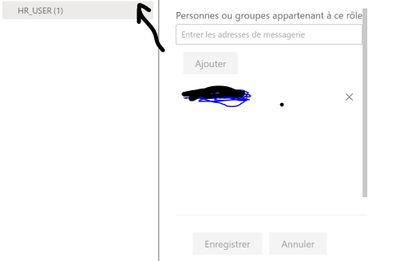
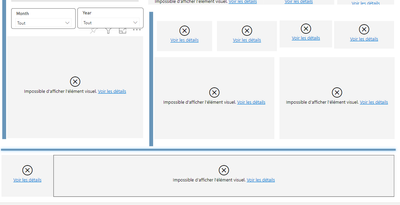
I go to security as on dataset, I put the email adress on the role and after that I click on tested as role. But It's don't work. The distributor_user works but not the RH USER:
Normaly, I do the to good step.
Check out the April 2026 Power BI update to learn about new features.
Sign up to receive a private message when registration opens and key events begin.
If you have recently started exploring Fabric, we'd love to hear how it's going. Your feedback can help with product improvements.
| User | Count |
|---|---|
| 10 | |
| 8 | |
| 7 | |
| 7 | |
| 7 |
| User | Count |
|---|---|
| 49 | |
| 27 | |
| 21 | |
| 20 | |
| 20 |