Get Fabric or SQL Certified for Free.
Get certified for free when you join Fabric Data Days 2026 and dive into Fabric, Power BI, SQL, AI, and other essential data skills.
Join now- Power BI forums
- Get Help with Power BI
- Desktop
- Service
- Report Server
- Power Query
- Mobile Apps
- Developer
- DAX Commands and Tips
- Custom Visuals Development Discussion
- Health and Life Sciences
- Power BI Spanish forums
- Translated Spanish Desktop
- Training and Consulting
- Instructor Led Training
- Dashboard in a Day for Women, by Women
- Galleries
- Data Stories Gallery
- Themes Gallery
- Contests Gallery
- QuickViz Gallery
- Quick Measures Gallery
- Visual Calculations Gallery
- Notebook Gallery
- Translytical Task Flow Gallery
- TMDL Gallery
- R Script Showcase
- Webinars and Video Gallery
- Ideas
- Custom Visuals Ideas (read-only)
- Issues
- Issues
- Events
- Upcoming Events
July 7 - July 17 | Round 2 of the Power BI Dataviz World Championships. Don't miss your chance! Learn more
- Power BI forums
- Forums
- Get Help with Power BI
- Service
- Paginated Report - Expression In Connection String
- Subscribe to RSS Feed
- Mark Topic as New
- Mark Topic as Read
- Float this Topic for Current User
- Bookmark
- Subscribe
- Printer Friendly Page

- Mark as New
- Bookmark
- Subscribe
- Mute
- Subscribe to RSS Feed
- Permalink
- Report Inappropriate Content
Paginated Report - Expression In Connection String
We are trying to use Power BI Paginated reports for our paginated reporting solution. In SQL Server Reporting Services (the technology Power BI Paginated reports are based on) you could define your Data Source connection as an expression that used parameters in the report. According to this Microsoft documentation this is also supported in Power BI Paginated reports - https://docs.microsoft.com/en-us/power-bi/paginated-reports-embedded-data-source
However I have not been able to get it to work. In that document it indicates the Report Builder Data Source properties windows should have an 'expression' button (just like it the Visual Studio SSRS editor does). However when I look in Report Builder I do not see this button. However I can just enter my expression in the connection string box.
I verified that I had my connection string expression correct by running the report in the Visual Studio SSRS editor (Report Builder does not support running reports with connection expressions). However if I attempt to upload .RDL file to our Power BI instance I receive an error saying the definition of the report is not valid.
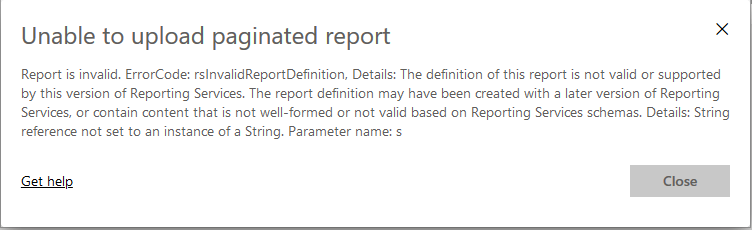
I am sure that it is the connection string expression causing this error because if I edit the report to make the connection string a static connection string, then I am able to successfully upload the report to Power BI.
My questions, is the Microsoft documentation wrong, and Power BI Paginated reports do not support connection string expressions? Or is there some other step I need to take?
Thank You
Solved! Go to Solution.


- Mark as New
- Bookmark
- Subscribe
- Mute
- Subscribe to RSS Feed
- Permalink
- Report Inappropriate Content
On Power BI service, we cannot use expressions in connection string for RDL reports. At this time we do not have plans to provide a fix for this issue.


- Mark as New
- Bookmark
- Subscribe
- Mute
- Subscribe to RSS Feed
- Permalink
- Report Inappropriate Content
@Anonymous Please check your Report Server version and compare it to your Report Builder version.
I had similiar issues, but was able to deal with them by downloading the matching report builder.
- Mark as New
- Bookmark
- Subscribe
- Mute
- Subscribe to RSS Feed
- Permalink
- Report Inappropriate Content
@TOKWe are using Power BI in Azure for our server, not Reporting Services. Do you know how we would go about checking our Report Server version in that scenario? I did check to make sure that I am on the latest version of Report Builder, and I am.
- Mark as New
- Bookmark
- Subscribe
- Mute
- Subscribe to RSS Feed
- Permalink
- Report Inappropriate Content
On Power BI service, we cannot use expressions in connection string for RDL reports. At this time we do not have plans to provide a fix for this issue.
- Mark as New
- Bookmark
- Subscribe
- Mute
- Subscribe to RSS Feed
- Permalink
- Report Inappropriate Content
Is it now possible to use an expression in an RDL string?
- Mark as New
- Bookmark
- Subscribe
- Mute
- Subscribe to RSS Feed
- Permalink
- Report Inappropriate Content
hi Hannes, this is still not possible. Thank you for posting at Microsoft Idea (powerbi.com). In meantime, you can try workaround here based upon your use case and security considersations by using SQL Linked servers and change the source table in query with fully qualified name (server-database-schema-table).
- Mark as New
- Bookmark
- Subscribe
- Mute
- Subscribe to RSS Feed
- Permalink
- Report Inappropriate Content
Thank you rpatkar. Much appreciated. Will try the workaround, as per your suggestion.


- Mark as New
- Bookmark
- Subscribe
- Mute
- Subscribe to RSS Feed
- Permalink
- Report Inappropriate Content
Hi @Anonymous
Please kindly make sure you are using the latest version, and here are some articles could be your reference :
https://docs.microsoft.com/en-us/power-bi/report-builder-expressions
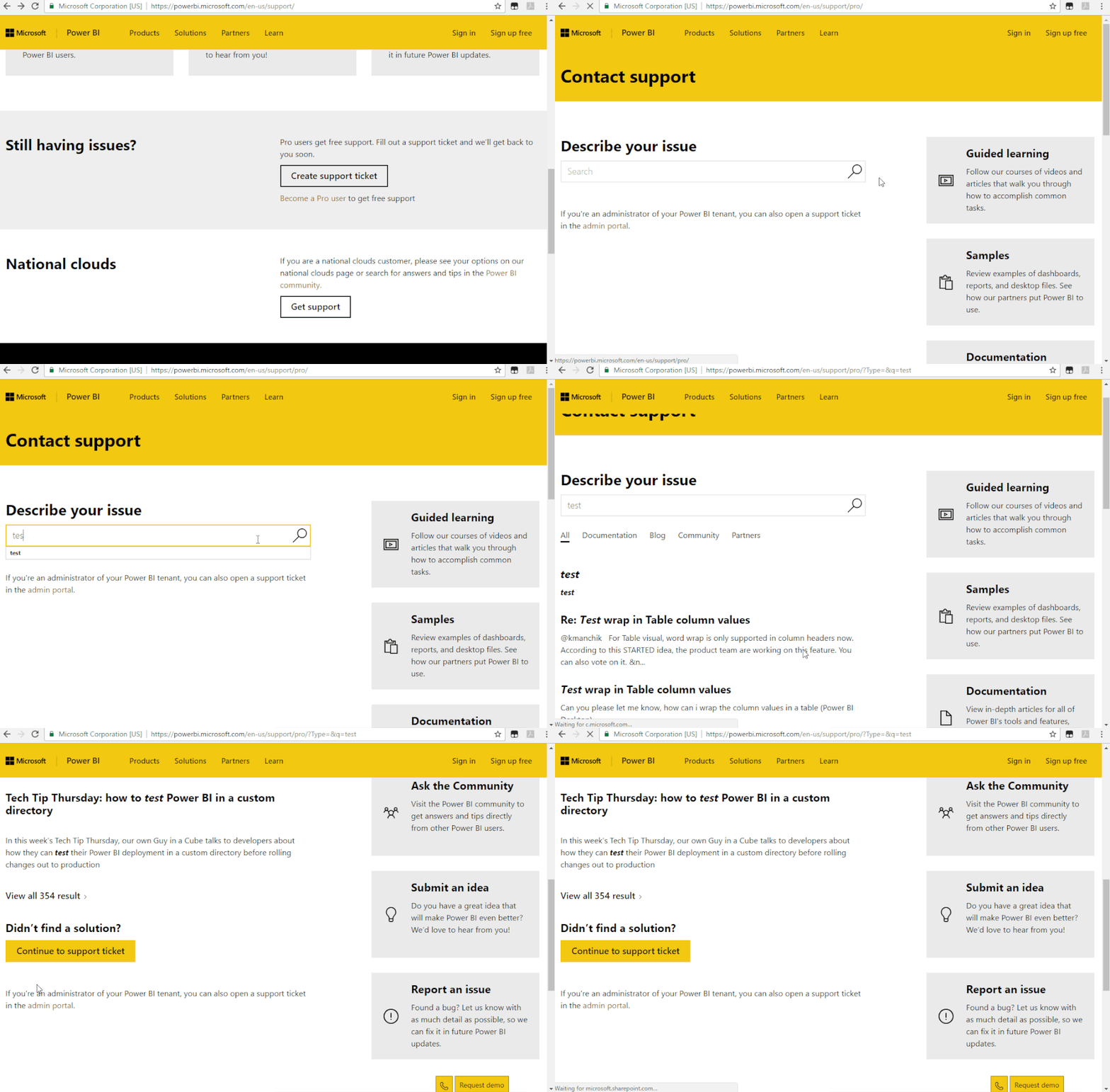
If not helps, please raise it to the support team for better advice:
https://powerbi.microsoft.com/en-us/support/
If this post helps, then please consider Accept it as the solution to help the other members find it more
quickly.
Helpful resources

FabCon & SQLCon – Barcelona 2026
Join us in Barcelona for FabCon and SQLCon, the Fabric, Power BI, SQL, and AI community event. Save €200 with code FABCMTY200.

Data Days 2026
Join Data Days 2026: 60 days of free live/on-demand sessions, challenges, study groups, and certification opportunities.

Power BI DataViz World Championships - June 2026
A new Power BI DataViz World Championship is coming this June! Don't miss out on submitting your entry.

| User | Count |
|---|---|
| 25 | |
| 11 | |
| 10 | |
| 5 | |
| 4 |


