Get certified for free when you join Fabric Data Days 2026 and dive into Fabric, Power BI, SQL, AI, and other essential data skills.
Join nowJuly 7 - July 17 | Round 2 of the Power BI Dataviz World Championships. Don't miss your chance! Learn more
Hi - I have a small (2MB) query that I'm attempting to refresh via schedule in app.powerbi.com and I keep hitting these timeout errors after about 10-15 minutes. The source files are JSON's.
Is there a way to change the timeout setting so that the query runs longer and is able to complete?
Thanks in advance~
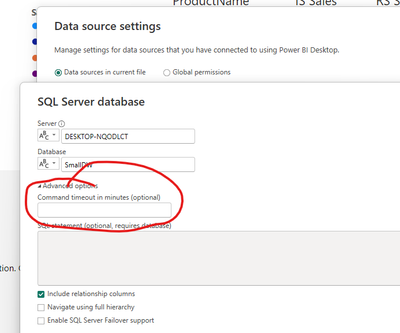
Change the timeout of your data source
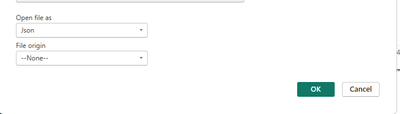
I don't have that option - since the files are JSON's; unless there is something that I'm missing?
So, is the JSON file on disk somewhere or are you calling a WEB API to get the JSON file?
Also, can you read the file into the Power BI Desktop with any issues?
The JSON files are stored locally on my machine; and I can load/refresh them into PowerBI Desktop with no issues.
Join us in Barcelona for FabCon and SQLCon, the Fabric, Power BI, SQL, and AI community event. Save €200 with code FABCMTY200.
Join Data Days 2026: 60 days of free live/on-demand sessions, challenges, study groups, and certification opportunities.
| User | Count |
|---|---|
| 25 | |
| 10 | |
| 10 | |
| 6 | |
| 5 |