Get certified for free when you join Fabric Data Days 2026 and dive into Fabric, Power BI, SQL, AI, and other essential data skills.
Join nowJuly 28 - August 9 | Final Round of the Power BI Dataviz World Championships. This is your chance. Learn more
Hi Super Users,
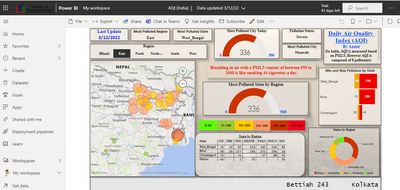
I am fetching data by using API key for Air Quality Index (India) and publishing it on Power BI Service. I am trying to apply Schedule Refresh and getting an error that invalid connection credentials. However, I am not able to locate the option where I have to enter the API key in Power BI Service.
However, Dashboard is publishing fine on Power Bi Service but getting errors in credentials while applying Schedule Refresh.
It would be great if you can help me with this. Please let me know if you need any further information.
Thank you
Can you share the screenshot for data source credentails option as well
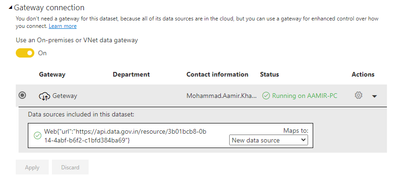
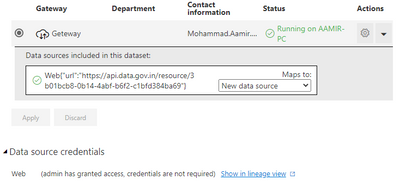
Thanks for your response. Please find below screenshots of Data source credentials.
Please advise on this.
Hi @Aamir2021
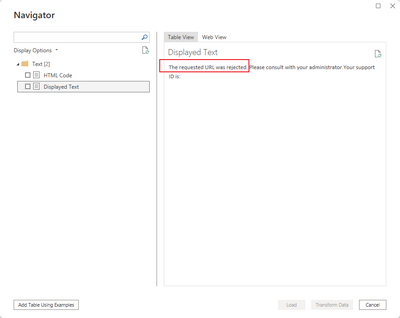
If you click refresh in Power BI Desktop, will it work ok?Here is my test:
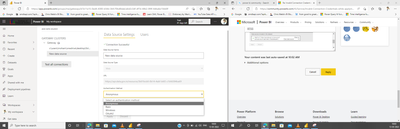
(1) On the Service, it looks ok
(2) However, in Desktop, the request was rejected. So even if it seems that the connection is successful on the service, it may not actually get the data.
Best Regards,
Community Support Team _Tang
If this post helps, please consider Accept it as the solution to help the other members find it more quickly.
If you love stickers, then you will definitely want to check out our community sticker challenge, Barcelona edition!
Check out the July 2026 Power BI update to learn about new features.
| User | Count |
|---|---|
| 10 | |
| 10 | |
| 9 | |
| 9 | |
| 5 |