Don't miss your chance to take the Fabric Data Engineer (DP-700) exam on us!
Learn moreWe've captured the moments from FabCon & SQLCon that everyone is talking about, and we are bringing them to the community, live and on-demand. Starts on April 14th. Register now
Hi Super Users,
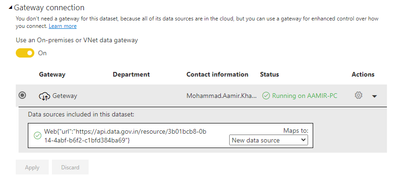
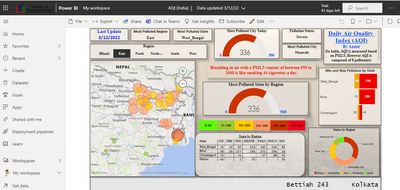
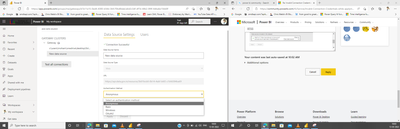
I am fetching data by using API key for Air Quality Index (India) and publishing it on Power BI Service. I am trying to apply Schedule Refresh and getting an error that invalid connection credentials. However, I am not able to locate the option where I have to enter the API key in Power BI Service.
However, Dashboard is publishing fine on Power Bi Service but getting errors in credentials while applying Schedule Refresh.
It would be great if you can help me with this. Please let me know if you need any further information.
Thank you
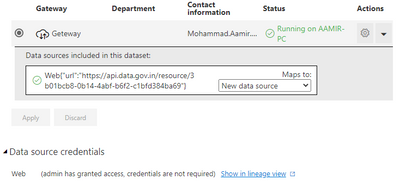
Can you share the screenshot for data source credentails option as well
Thanks for your response. Please find below screenshots of Data source credentials.
Please advise on this.
Hi @Aamir2021
If you click refresh in Power BI Desktop, will it work ok?Here is my test:
(1) On the Service, it looks ok
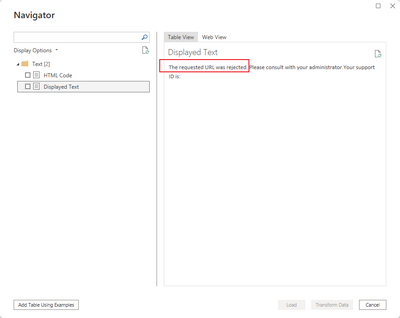
(2) However, in Desktop, the request was rejected. So even if it seems that the connection is successful on the service, it may not actually get the data.
Best Regards,
Community Support Team _Tang
If this post helps, please consider Accept it as the solution to help the other members find it more quickly.
If you have recently started exploring Fabric, we'd love to hear how it's going. Your feedback can help with product improvements.
A new Power BI DataViz World Championship is coming this June! Don't miss out on submitting your entry.
Share feedback directly with Fabric product managers, participate in targeted research studies and influence the Fabric roadmap.