cancel
Showing results for 
Search instead for 
Did you mean: 

The Power BI Data Visualization World Championships is back! Get ahead of the game and start preparing now! Learn more

Reply
gusdahu
Helper IV
Helper IV

Gateway Connectivity Issue

Power BI Community,


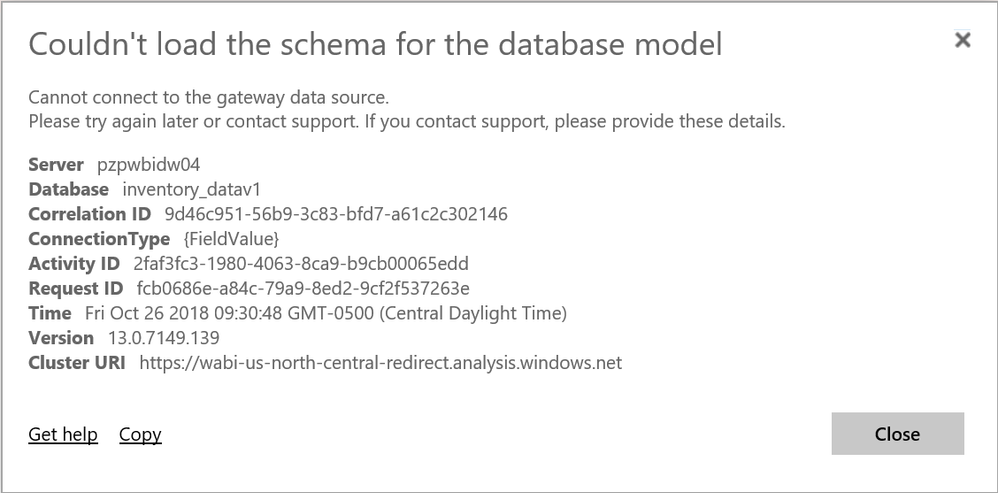
I recently published a dashboard into my workspace. However, I am getting the rejection shown below:Rejection 1.pngRejection 2.png


How would I resolve this issue?


Regards,

Gus Dahu


7 REPLIES 7
rafaelmpsantos
Responsive Resident
Responsive Resident

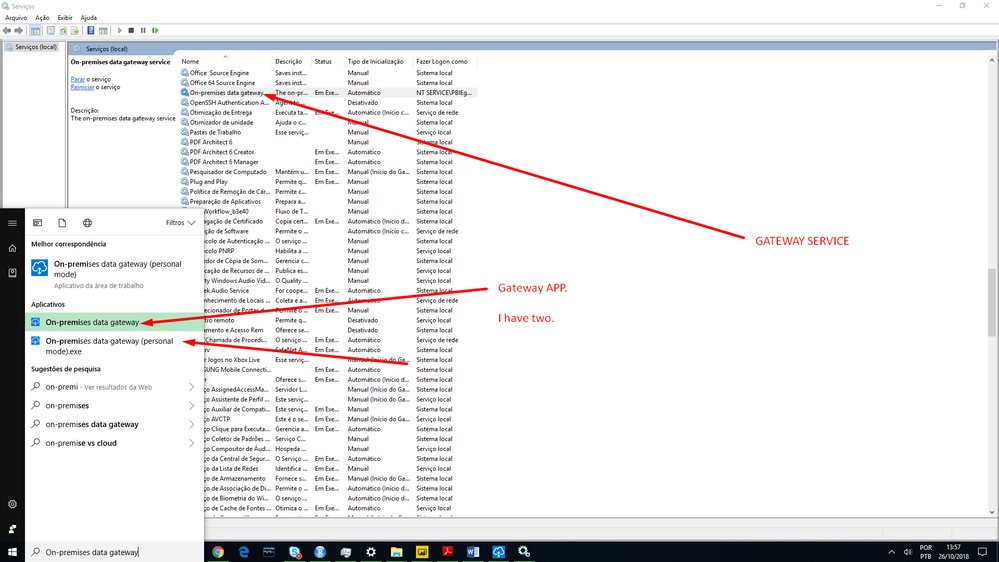
See in your computer if the gateway services is running. 
Services>On-Premises data gateway, and iss if the status is Running or something like that. 
Open the gateway app in your computer and see if is running and ok.


Hi rafaelmpsantos,


Thank you for your response.


Where/how do I access the gateway app located on my computer?


Regards,

Gus Dahu

only in windows menu type "on-premises" and it will appear

Hi rafaelmpsantos,


Do you mind sharing a screenshot showing this?


Regards,

Gus Dahu

Hi rafaelmpsantos,


It appears I don't have the "On-premise data gateway" installed on my pc. How would I obtain this application?


Regards,

Gus Dahu

If you don't have a gateway how do you update your dataset before?

Link Bellow

https://powerbi.microsoft.com/en-us/gateway/

Helpful resources

Announcements
Power BI DataViz World Championships

Power BI Dataviz World Championships

The Power BI Data Visualization World Championships is back! Get ahead of the game and start preparing now!

December 2025 Power BI Update Carousel

Power BI Monthly Update - December 2025

Check out the December 2025 Power BI Holiday Recap!

FabCon Atlanta 2026 carousel

FabCon Atlanta 2026

Join us at FabCon Atlanta, March 16-20, for the ultimate Fabric, Power BI, AI and SQL community-led event. Save $200 with code FABCOMM.