Join us at FabCon Atlanta from March 16 - 20, 2026, for the ultimate Fabric, Power BI, AI and SQL community-led event. Save $200 with code FABCOMM.
Register now!Learn from the best! Meet the four finalists headed to the FINALS of the Power BI Dataviz World Championships! Register now
My dataset is referencing to a SharePoint folder, extract the file name and properties in the folder
The requirement is to get the dataset refreshed as soon as a file is added/removed/changed in the folder.
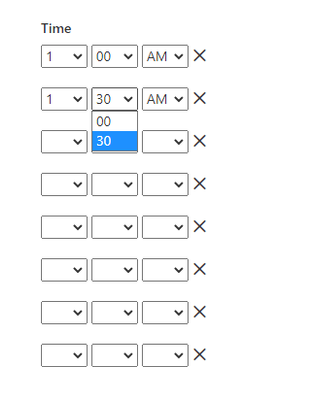
I understand that I can set up 30 minutes interval scheduled refresh (by 48 manual entries on the scheduled refresh)
Any method I can get a less than 30min refresh interval? Using Power Automate is not an option.
If not, is there easier way to set up 48 entries of scheduled refresh?
Solved! Go to Solution.
Hi @Anonymous ,
In my opinion, the refresh interval cannot be adjusted to less than 30 minutes unless it is manually refreshed during that time.
And you could read the following article,wish it is helpful for you!
Hi @Anonymous ,
In my opinion, the refresh interval cannot be adjusted to less than 30 minutes unless it is manually refreshed during that time.
And you could read the following article,wish it is helpful for you!
Share feedback directly with Fabric product managers, participate in targeted research studies and influence the Fabric roadmap.
Check out the February 2026 Power BI update to learn about new features.
| User | Count |
|---|---|
| 46 | |
| 43 | |
| 39 | |
| 25 | |
| 23 |