cancel
Showing results for 
Search instead for 
Did you mean: 

July 7 - July 17 | Round 2 of the Power BI Dataviz World Championships. Don't miss your chance! Learn more

Reply
andyparkerson
Advocate III
Advocate III

Dataflows Container Size change issues

When I try to change the amount of memory or container size on my dataflows in the Admin Portal, I get the following error:


Invalid input for Container Size (Mb). Please enter a number value between 700 and 0


I am using a container size of 700MB, and a memory percentage of 40%. If I try to change either of these, it gives me the error. It will not let me save, but I can cancel my changes and things still work.

4 REPLIES 4
v-danhe-msft
Microsoft Employee
Microsoft Employee

Hi @andyparkerson ,

There do have a limitation for your size, it is basd on your premium capacity and Dataflow workload Max Memory (%). 

The Container Size value can’t exceed the maximum memory for the Dataflows workload. For example, a P1 capacity has 25GB of memory. If the Dataflow workload Max Memory (%) is set to 20%, Container Size (MB) cannot exceed 5000. In all cases, the Container Size cannot exceed the Max Memory, even if you set a higher value.
You may refer to below links:
 
Regards,
Daniel He


Community Support Team _ Daniel He
If this post helps, then please consider Accept it as the solution to help the other members find it more quickly.

@v-danhe-msft,


I have A1 capacity. The issue is that the error is telling me the container size needs to be between 700 and 0. I cannot change the container size up or down from the 700 it is currently at. I cannot change the memory up or down from the 40% it is currently at either, because of the container size error message.


If I delete the entry in Container Size (and leave it blank), the error message goes away and I am able to save it. I haven't tried this, as I am wary of breaking something.


I do not believe this is a limitation due to capacity settings, but rather a bug.

Hi @andyparkerson ,

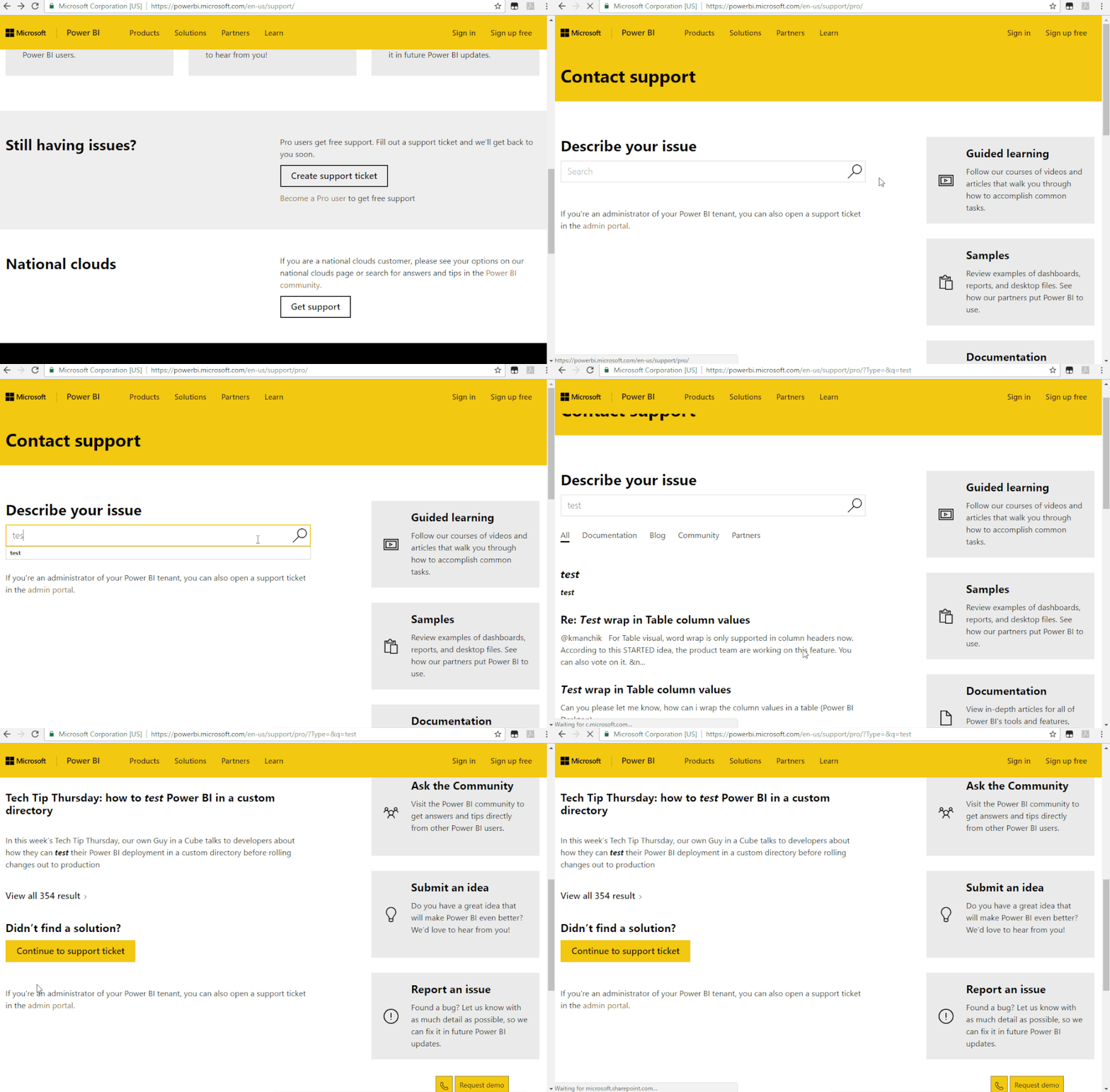
Due to I could not reproduce your pronlem, I suggest you create a support ticket:

Support | Microsoft Power BI

Support Ticket.gif

Regards,

Daniel He

Community Support Team _ Daniel He
If this post helps, then please consider Accept it as the solution to help the other members find it more quickly.

@v-danhe-msft ,


Thanks for your help. I opened a ticket today. I will reply with the solution for others who may wander upon this thread in the future.

Helpful resources

Announcements
FabCon and SQLCon Barcelona 2026

FabCon & SQLCon – Barcelona 2026

Join us in Barcelona for FabCon and SQLCon, the Fabric, Power BI, SQL, and AI community event. Save €200 with code FABCMTY200.

60 days of Data Days Carousel

Data Days 2026

Join Data Days 2026: 60 days of free live/on-demand sessions, challenges, study groups, and certification opportunities.

Power BI DataViz World Championships carousel

Power BI DataViz World Championships - June 2026

A new Power BI DataViz World Championship is coming this June! Don't miss out on submitting your entry.