This is best Fabric, Power BI, SQL and AI community event. How do we know? The last event sold out! Save €200 with code FABCMTY200.
Register nowThe Fabric community is upgrading! Read all of the details including the timeline and what you can expect. Learn more
Hi,
I create reports for my organization within the power bi service. I seem to be missing the advanced option under the data colors formatting tab for all chart types. I would really like to utilize this feature to be able to change the data colors based on certain criteria. Is this a known issue? Any fixes or workarounds?
Thanks!
Hi @Bpark1994 ,
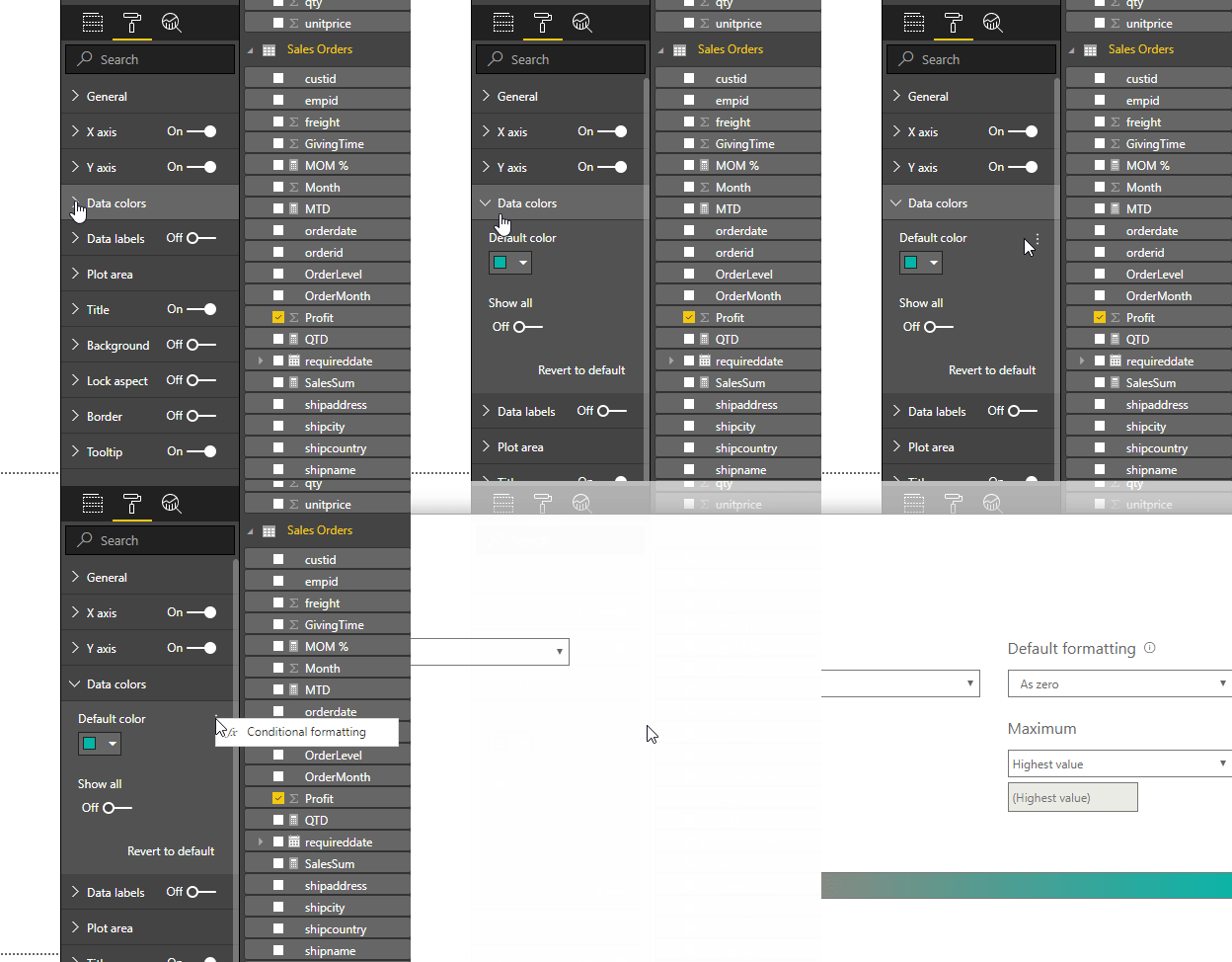
Based on my test, I found that the advanced option has been removed both from PowerBI Desktop and PowerBI Service. The previous conditional formatting has been moved to below:
Best Regards,
Teige
Hi Teige. I do not have Data Colors as formating option. Please advise.
Hi,
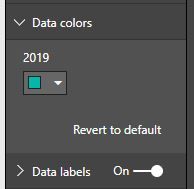
Ya i dont have that elipsis option in the desktop or service. This is what it looks like under Data Colors for all chart types. This doesnt make any sense to me why would it be missing?
Thanks again!
It's very strange, I would suggest you opening a ticket at https://powerbi.microsoft.com/en-us/support/
Join us in Barcelona for FabCon and SQLCon, the Fabric, Power BI, SQL, and AI community event. Save €200 with code FABCMTY200.
| User | Count |
|---|---|
| 14 | |
| 11 | |
| 9 | |
| 7 | |
| 5 |