Don't miss your chance to take the Fabric Data Engineer (DP-700) exam on us!
Learn moreWe've captured the moments from FabCon & SQLCon that everyone is talking about, and we are bringing them to the community, live and on-demand. Starts on April 14th. Register now
Hi,
I create reports for my organization within the power bi service. I seem to be missing the advanced option under the data colors formatting tab for all chart types. I would really like to utilize this feature to be able to change the data colors based on certain criteria. Is this a known issue? Any fixes or workarounds?
Thanks!
Hi @Bpark1994 ,
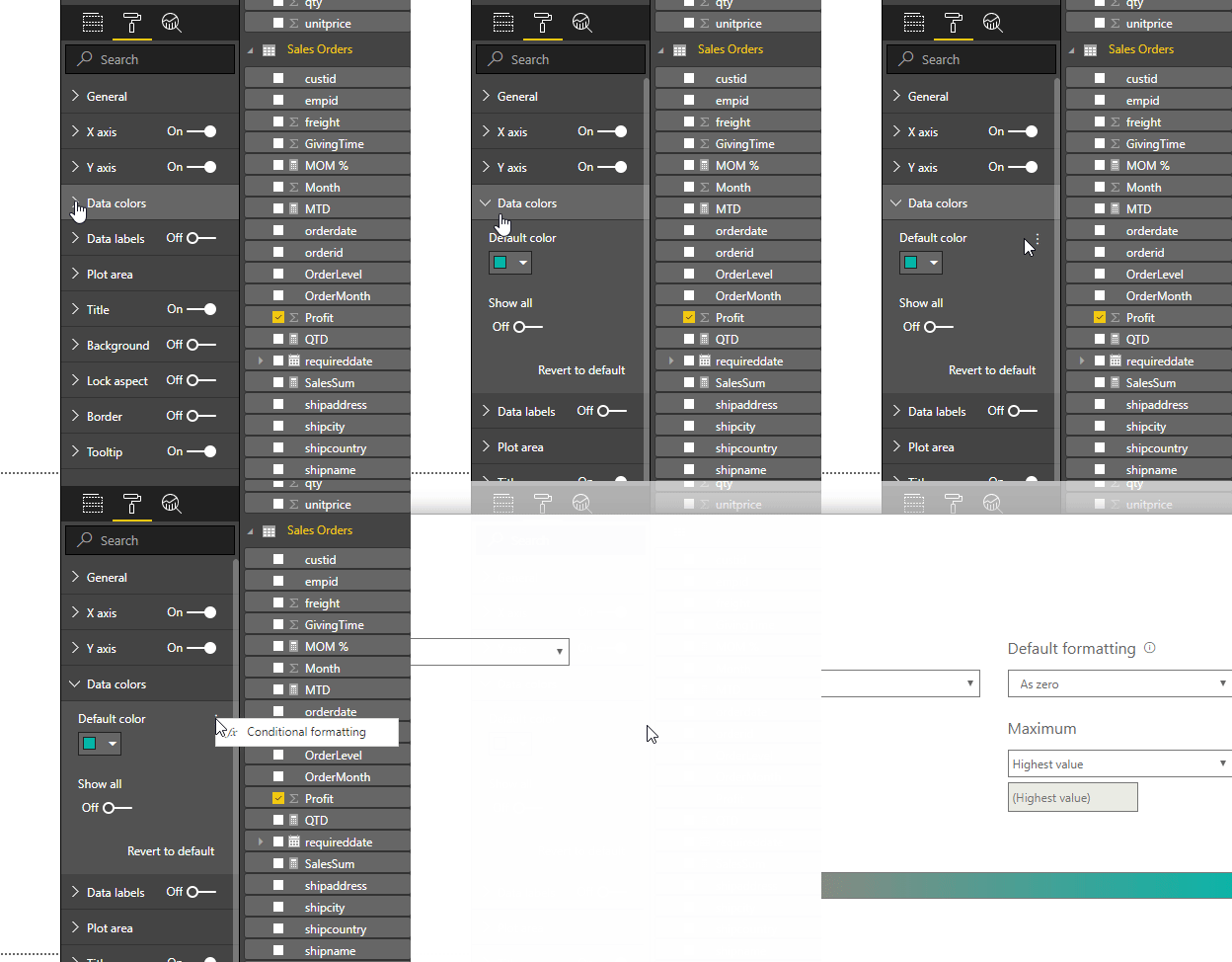
Based on my test, I found that the advanced option has been removed both from PowerBI Desktop and PowerBI Service. The previous conditional formatting has been moved to below:
Best Regards,
Teige
Hi Teige. I do not have Data Colors as formating option. Please advise.
Hi,
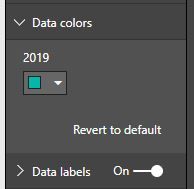
Ya i dont have that elipsis option in the desktop or service. This is what it looks like under Data Colors for all chart types. This doesnt make any sense to me why would it be missing?
Thanks again!
It's very strange, I would suggest you opening a ticket at https://powerbi.microsoft.com/en-us/support/
If you have recently started exploring Fabric, we'd love to hear how it's going. Your feedback can help with product improvements.
A new Power BI DataViz World Championship is coming this June! Don't miss out on submitting your entry.
Share feedback directly with Fabric product managers, participate in targeted research studies and influence the Fabric roadmap.