This is best Fabric, Power BI, SQL and AI community event. How do we know? The last event sold out! Save €200 with code FABCMTY200.
Register nowThe Fabric community is upgrading! Read all of the details including the timeline and what you can expect. Learn more
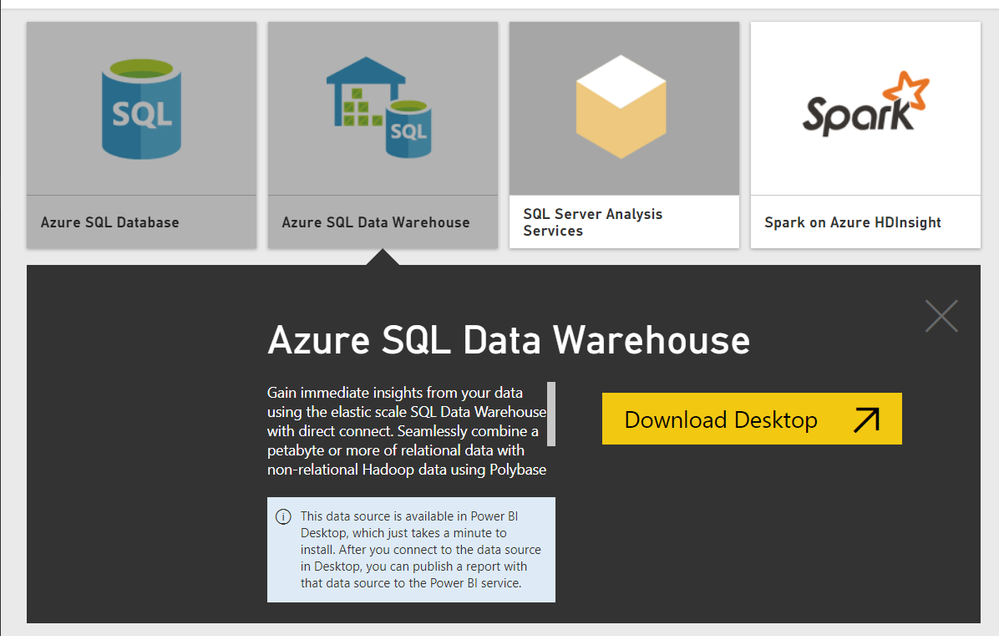
I don't see any option to connect Azure SQL DW however it shows Download Desktop. Please assist me.
Solved! Go to Solution.
Hi @SivaMani,
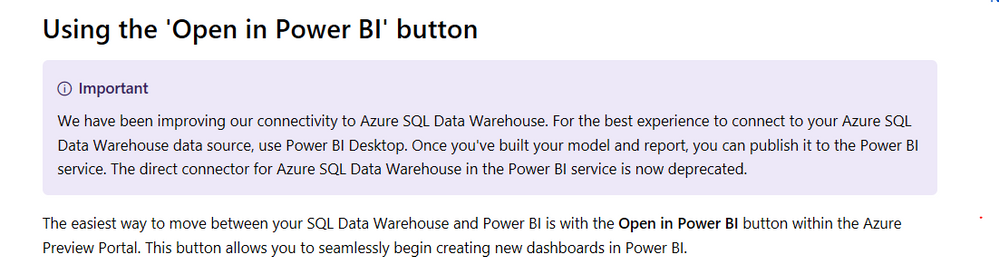
Based on my research, if you want to get data from Power BI service, due to The direct connector for Azure SQL Data Warehouse in the Power BI service is now deprecated, I am afraid you could not achieve this feature, I suggest you to get data from desktop and publishe to the service.
Regards,
Daniel He
Hi @SivaMani,
Based on my research, you could connect the SQL Data Warehouse with the Open in Power BI button within the Azure Preview Portal.
Reference:
Regards,
Daniel He
Thanks for the reply. It doesn't work.
It redirects to Get Data page and Desktop starts downloading automatically when I click Open in Power BI option.
Hi @SivaMani,
Based on my research, if you want to get data from Power BI service, due to The direct connector for Azure SQL Data Warehouse in the Power BI service is now deprecated, I am afraid you could not achieve this feature, I suggest you to get data from desktop and publishe to the service.
Regards,
Daniel He
Thank you for the confirmation.
Join us in Barcelona for FabCon and SQLCon, the Fabric, Power BI, SQL, and AI community event. Save €200 with code FABCMTY200.
| User | Count |
|---|---|
| 13 | |
| 11 | |
| 9 | |
| 6 | |
| 5 |