Get certified for free when you join Fabric Data Days 2026 and dive into Fabric, Power BI, SQL, AI, and other essential data skills.
Join nowTry your skills in the Power BI Dataviz World Championship! Round one ends June 26. Join now
I am trying to figure out if it is possible to keep Metrics Tracking Trend History when switching from one datasource to another. The datasource (report) itself is exactly the same, I just saved a copy of the report into a new workspace because we are consolidating. The Tracking is currently pulling from the same data in the original workspace. I know that I can switch each individual link to the report in the new workspace, but my thought now is that it will not keep the several months of trend history. Has anyone had experience trying to do this in Premium Per Person Metric tracking.
Hi @lsoohoo
If you want to track usage metrics I would suggest using the Activity Log. This will allow you to download and store all the activities for a longer period. This will allow you to track usage of the users.
Here are more details on how to save this data: Access the Power BI activity log - Power BI | Microsoft Learn
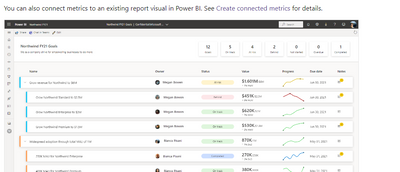
@GilbertQ Maybe my original post is confusing. I am not trying to track usage metrics. I am using the Metrics functionality, through Premium per Person, like this:
to track a KPI over time. I am worried (or pretty sure) that when I move these metrics that are linked to a report KPI in a certain workspace, to the same KPI, in a copy of the report, in a different Workspace, that I am going to lose the Trend History, that charts out a snapshot of the KPI on a weekly basis and plots it on a line chart, as well as listing the history +/- from the previous snapshot.
Don't miss out on Data Days, June 15 through August 7. Learn Fabric, Power BI, SQL, AI and more.
Check out the May 2026 Power BI update to learn about new features.
| User | Count |
|---|---|
| 17 | |
| 11 | |
| 11 | |
| 8 | |
| 8 |
| User | Count |
|---|---|
| 40 | |
| 36 | |
| 35 | |
| 35 | |
| 20 |