cancel
Showing results for 
Search instead for 
Did you mean: 

The Power BI Data Visualization World Championships is back! Get ahead of the game and start preparing now! Learn more

Reply
Anonymous
Not applicable

Blank Line Chart with Streaming

Hello!


I have created a Streaming Dataset and if I create a Line Chart from the Report Page the graph is showed with no problem. But I have to do a manual refresh. 


But if I go to the Dashboard and add a streaming data tile, with line chart type, I get a blank chart. What can I do? If I put on a card instead the number shows. 


Its driving me insane can you please help me?

5 REPLIES 5
Anonymous
Not applicable

Hi @Anonymous ,

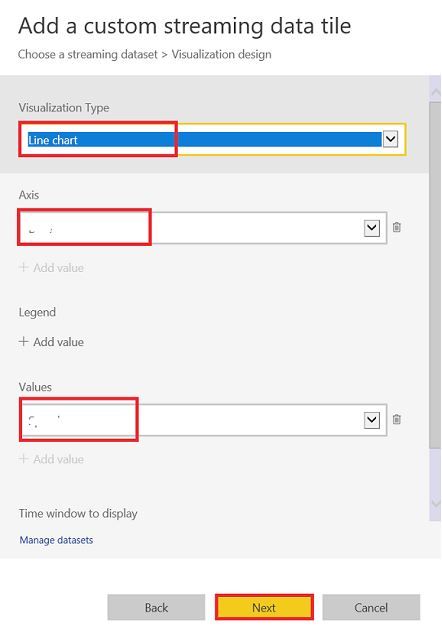
How did you set the line chart tile? Whether you applied the fields on both Axis and Values field? Could you please provide some screen shots about it? 

Streaming dataset.JPG

In addition, hope the following documentations can help you.

Real-time streaming in Power BI

Pushing Data From Excel To Power BI Using Streaming Datasets

Best Regards

Rena

Anonymous
Not applicable

Hello @Anonymous ! I set up like this:
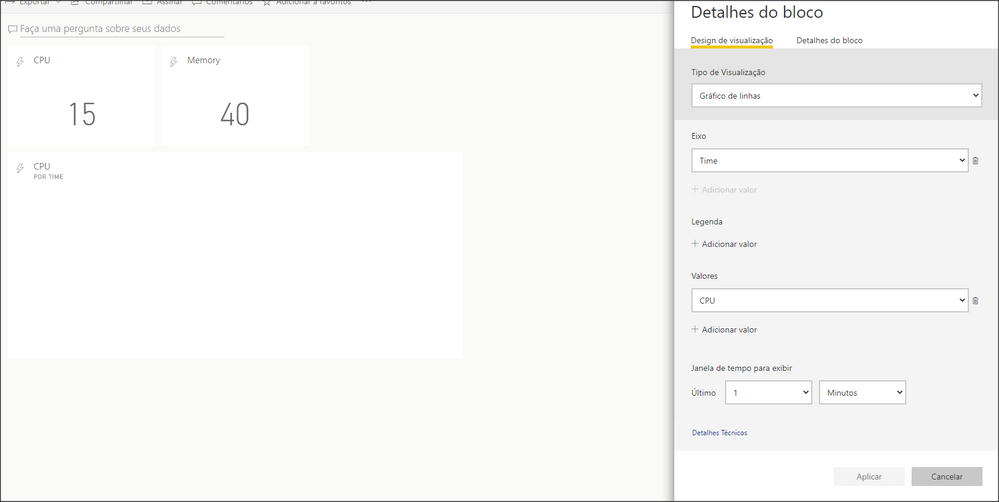
Snap 2020-06-04 at 17.59.43.png


@v-alq-msft  If it helps, here is the Powershell Code, used from Guyinacube, did I do something wrong?

$endpoint = "Removed for security reasons"

while($true)
{

$ComputerCPU = (Get-WmiObject -Class win32_processor -ErrorAction Stop | Measure-Object -Property LoadPercentage -Average | Select-Object Average).Average

$ComputerMemory = Get-WmiObject -Class win32_operatingsystem -ErrorAction Stop
$UsedMemory = $ComputerMemory.TotalVisibleMemorySize - $ComputerMemory.FreePhysicalMemory
$Memory = (($UsedMemory/ $ComputerMemory.TotalVisibleMemorySize)*100)
$RoundMemory = [math]::Round($Memory, 2)

$Date = Get-Date -DisplayHint Date -Format MM/dd/yyyy

$Time = Get-Date -DisplayHint Time -Format HH:mm:ss

#$RoundMemory
#$ComputerCPU
#$Date
#$Time

$payload = @{
"Date" =$Date
"Time" =$Time
"CPU" = $ComputerCPU
"Memory" = $RoundMemory
}
Invoke-RestMethod -Method Post -Uri "$endpoint" -Body (ConvertTo-Json @($payload))

Write-Host "Date: " $Date " Time: " $Time " CPU: " $ComputerCPU " Memory: " $RoundMemory

sleep 2
}

 

Anonymous
Not applicable

Hi @Anonymous ,

According to your provided screen shot, it seems OK. Could you please create a line chart visual with field Time and CPU and check if the data can display normally? I need to check if there is any problem in field Time...

In addition, please try to update Powershell codes as below and check if it works:

while($true)
{

$ComputerCPU = (Get-WmiObject -Class win32_processor -ErrorAction Stop | Measure-Object -Property LoadPercentage -Average | Select-Object Average).Average

$ComputerMemory = Get-WmiObject -Class win32_operatingsystem -ErrorAction Stop
$UsedMemory = $ComputerMemory.TotalVisibleMemorySize - $ComputerMemory.FreePhysicalMemory
$Memory = (($UsedMemory/ $ComputerMemory.TotalVisibleMemorySize)*100)
$RoundMemory = [math]::Round($Memory, 2)

$Date = Get-Date -DisplayHint Date -Format MM/dd/yyyy

$Time = Get-Date -DisplayHint Time -Format HH:MM:ss

#$RoundMemory
#$ComputerCPU
#$Date
#$Time

$endpoint = "Removed for security reasons"
$payload = @{
"Date" =$Date
"Time" =$Time
"CPU" = $ComputerCPU
"Memory" = $RoundMemory
}
Invoke-RestMethod -Method Post -Uri "$endpoint" -Body (ConvertTo-Json @($payload))

Write-Host "Date: " $Date " Time: " $Time " CPU: " $ComputerCPU " Memory: " $RoundMemory

sleep 2
}
Best Regards

Rena

Anonymous
Not applicable

Thank you for the response @Anonymous!


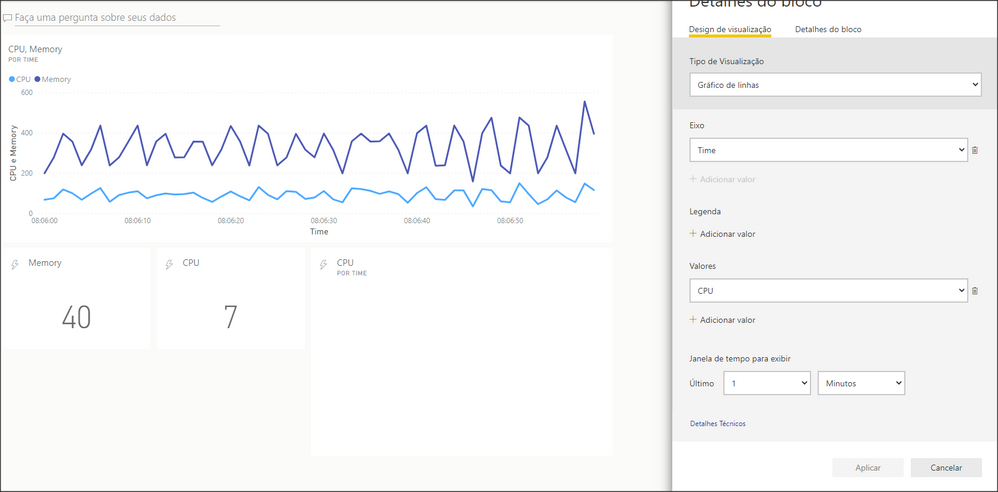
With your adjusted code the Line chart visual that you asked updates every few seconds and works. However, if I add a "Real time Tile" on the Dashboard  it does not work. An onbservation: The historical analysis is "on" in the dataset. 


Idk, can you check if in your computer the code works maybe?Snap 2020-06-10 at 08.42.09.png


Did you get this working?  I have exactly the same issue with the line chart trying to update in real time.  I tried also changing the time to HH:MM:ss rather than HH:mm:ss but the resulting time was picking up the month as minutes so I have reverted back to mm for minutes. 

Helpful resources

Announcements
Power BI DataViz World Championships

Power BI Dataviz World Championships

The Power BI Data Visualization World Championships is back! Get ahead of the game and start preparing now!

December 2025 Power BI Update Carousel

Power BI Monthly Update - December 2025

Check out the December 2025 Power BI Holiday Recap!

FabCon Atlanta 2026 carousel

FabCon Atlanta 2026

Join us at FabCon Atlanta, March 16-20, for the ultimate Fabric, Power BI, AI and SQL community-led event. Save $200 with code FABCOMM.