This is best Fabric, Power BI, SQL and AI community event. How do we know? The last event sold out! Save €200 with code FABCMTY200.
Register nowA new Data Days event is coming soon! This time we’re going bigger than ever. Fabric, Power BI, SQL, AI and more. Don't miss out.
Hi,
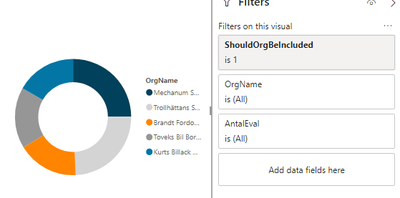
Is there a way to create a table in Power Query to get Top N organizations dynamically?
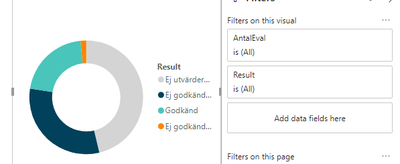
I have some visuals and I want them all to present data from my Top N organizations, but Top N organization are different depending on the values in my slicers.
I've solved it for one visual with the following DAX measures:
SelectedTopNNumber = IF(HASONEVALUE('TopN'[Top]);Min('TopN'[Top]);10)
AntalEval = COUNT('table1'[StatisticKey])
OrgRankByTopN = IF(HASONEVALUE('dimOrg'[OrgName]);RANKX(ALLSELECTED('dimOrg'[OrgName]); [AntalEval]))
ShouldOrgBeIncluded = IF([OrgRankByTopN]<=[SelectedTopNNumber];1;0)So I was wondering if there's someway to create a table which consist of Top N organizations and use that. But it must be made dynamic since I have slicers on date and so on which change the Top N organizations.
Hi @rebecka
Besides measures created in my previous reply,
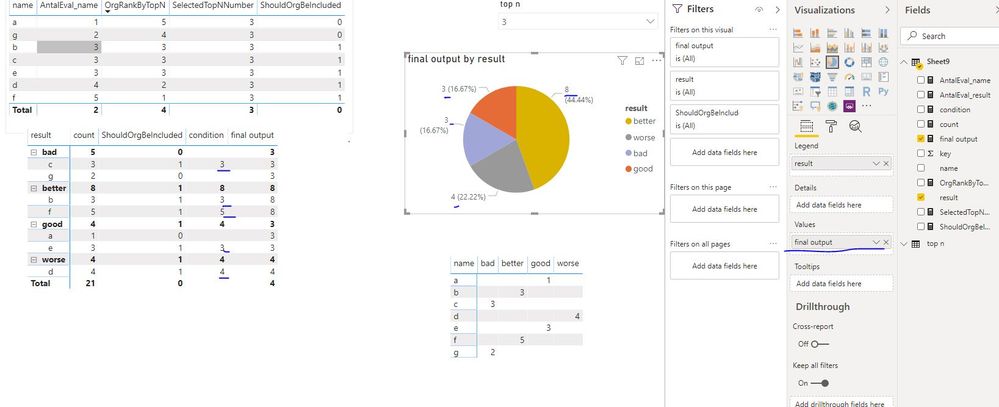
Create measures below
count = COUNT(Sheet9[key])
condition = IF([ShouldOrgBeIncluded]=1,[count])
final output = SUMX(FILTER(ALLSELECTED(Sheet9),Sheet9[condition]<>BLANK()&&Sheet9[result]=MAX(Sheet9[result])),[condition])
Hi @v-juanli-msft !
It works fine for this small dataset, but when I tried to apply it to my original report with a much larger data set I get out o memory exception.
And also I would like to add a date dimension to this and I'm not sure if it's possible to implement this in a line chart with date on the x-axis (only showing lines of the highest ranked).
Best Regards, Rebecka
Hi @rebecka
Create measures
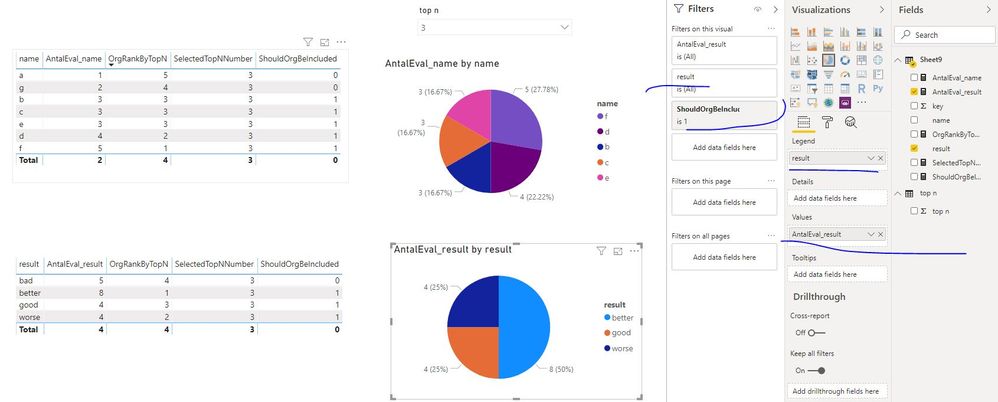
AntalEval_name = CALCULATE(COUNT(Sheet9[key]),FILTER(ALLSELECTED(Sheet9),Sheet9[name]=MAX(Sheet9[name])))
AntalEval_result = CALCULATE(COUNT(Sheet9[key]),FILTER(ALLSELECTED(Sheet9),Sheet9[result]=MAX(Sheet9[result])))
OrgRankByTopN = RANKX(ALLSELECTED(Sheet9),[AntalEval_name],,DESC,Dense)
SelectedTopNNumber = IF(HASONEVALUE('top n'[top n]),SELECTEDVALUE('top n'[top n]),10)
ShouldOrgBeIncluded = IF([OrgRankByTopN]<=[SelectedTopNNumber],1,0)
Add "AntalEval_name" and "name" in one visual,
add "AntalEval_result" and "result" in another visual.
No that's not really what I'm looking for. The first visual is correct!
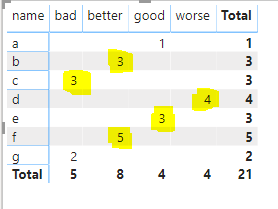
We can see that f, d, b, c and e are my Top N (3) organizations and therefore I want their result presented in the other visual. I want the highlighted yellow numbers in the below figure.
So the other visual should present
Bad: 3
Better: 8
Good: 3
Worse: 4
Since that is the result of my Top N organizations.
I hope I explanied it better this time!
Best Regards,
Rebecka
Check out the May 2026 Power BI update to learn about new features.
Sign up to receive a private message when registration opens and key events begin.
If you have recently started exploring Fabric, we'd love to hear how it's going. Your feedback can help with product improvements.