This is best Fabric, Power BI, SQL and AI community event. How do we know? The last event sold out! Save €200 with code FABCMTY200.
Register nowThe Fabric community is now in read-only for platform upgrade. Learn more
I guess there is an issue within one of the newer reports that I have not previously connected, although I am only guessing.
Hi @Pikman
Since some reports still import successfully, the thread does not identify the root cause. I would test the failing reports individually and compare their report types, fields, formulas, and groupings.
Power BI Connector for Salesforce supports tabular, summary, matrix, and joined reports without the native connector's 2,000-row limit.
AppExchange and 30-day trial:
https://appexchange.salesforce.com/appxListingDetail?listingId=31526f0e-abd8-4cb5-bd1a-3bd56b5c0577
Docs and support:
https://metricasoftware.com/docs/salesforce/
https://metricasoftware.com/docs/salesforce/contact-support/
Cheers,
Metrica Team
Hi @Pikman were you able to find a solution? As a workaround, maybe you can try to test your connection with a 3rd party connecto, which pulls data directly from SF objects API. I've tried windsor.ai, supermetrics and funnel.io. I stayed with windsor because it is much cheaper so just to let you know other options. In case you wonder, to make the connection first search for the Salesforce connector in the data sources list:
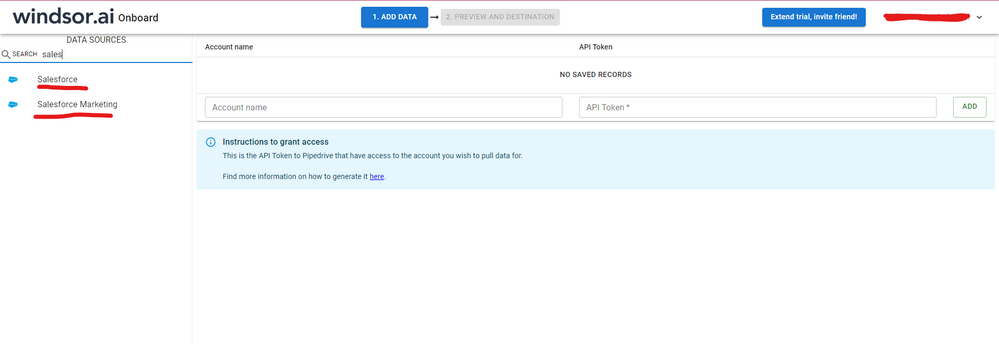
After that, just grant access to your Salesforce account using your credentials, then on preview and destination page you will see a preview of your Salesforce fields:
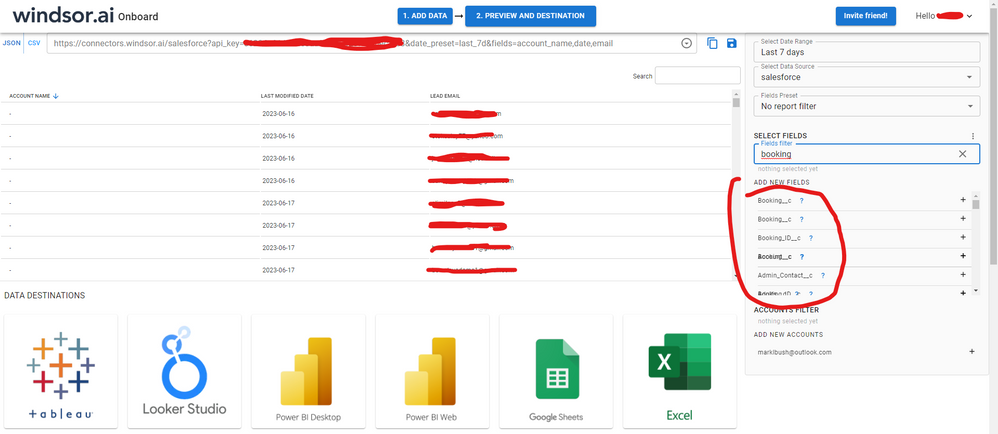
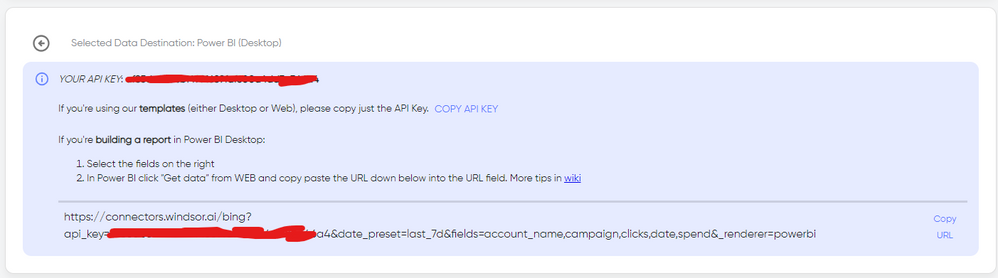
There just select the fields you need. It is also compatible with custom fields and custom objects, so you'll be able to export them through windsor. Finally, just select PBI as your data destination and finally just copy and paste the url on PBI --> Get Data --> Web --> Paste the url.
Join us in Barcelona for FabCon and SQLCon, the Fabric, Power BI, SQL, and AI community event. Save €200 with code FABCMTY200.