Share feedback directly with Fabric product managers, participate in targeted research studies and influence the Fabric roadmap.
Sign up nowGet Fabric certified for FREE! Don't miss your chance! Learn more
I guess there is an issue within one of the newer reports that I have not previously connected, although I am only guessing.
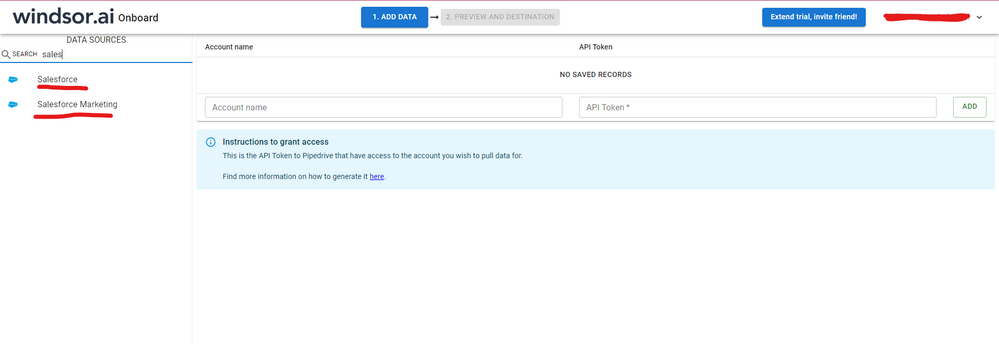
Hi @Pikman were you able to find a solution? As a workaround, maybe you can try to test your connection with a 3rd party connecto, which pulls data directly from SF objects API. I've tried windsor.ai, supermetrics and funnel.io. I stayed with windsor because it is much cheaper so just to let you know other options. In case you wonder, to make the connection first search for the Salesforce connector in the data sources list:
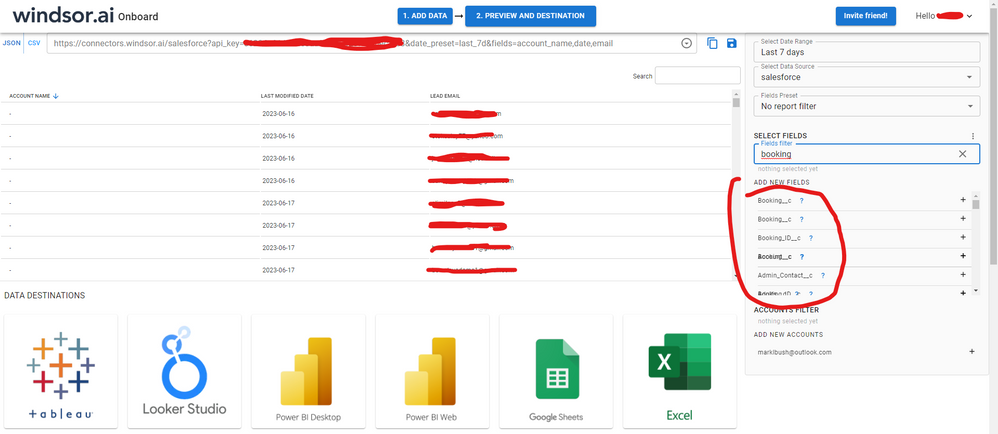
After that, just grant access to your Salesforce account using your credentials, then on preview and destination page you will see a preview of your Salesforce fields:
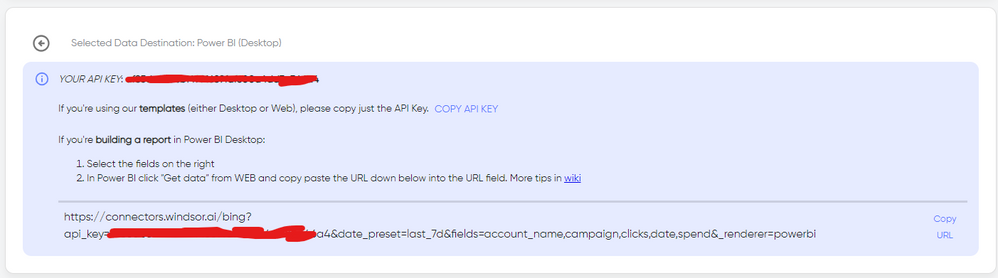
There just select the fields you need. It is also compatible with custom fields and custom objects, so you'll be able to export them through windsor. Finally, just select PBI as your data destination and finally just copy and paste the url on PBI --> Get Data --> Web --> Paste the url.
@Pikman,
Could you please check that if you can connect to your source using the Salesforce Reports connector in Power BI Desktop?
Regards,
If you love stickers, then you will definitely want to check out our Community Sticker Challenge!
Check out the January 2026 Power BI update to learn about new features.
| User | Count |
|---|---|
| 13 | |
| 11 | |
| 11 | |
| 8 | |
| 6 |