This time we’re going bigger than ever. Fabric, Power BI, SQL, AI and more. We're covering it all. You won't want to miss it.
Learn moreLevel up your Power BI skills this month - build one visual each week and tell better stories with data! Get started
Is there any way I can add users to roles automatically? (e.g., through an API call)
@EmaF ,
Could you please share more information related to your requirement to help us analysis? You want to add user to role on PowerBI desktop or on PowerBI Service? How do you manage these users originally?
Generally, we can setup Dynamic RLS on PowerBI DeskTop, this method uses UserName() to recognize the current user, then it will use the security filter based on the username to other data, for more information, please refer to the following blogs:
http://radacad.com/dynamic-row-level-security-with-power-bi-made-simple
https://community.powerbi.com/t5/Community-Blog/Power-BI-Dynamic-Row-Level-Security-Tips-to-get-it-w...
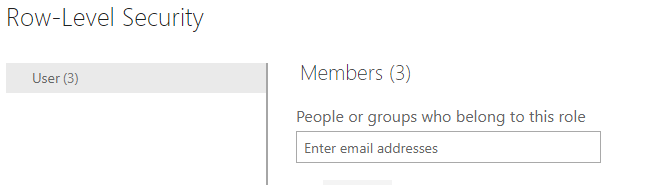
For Power BI Service, we can firstly create a security group or distribution list in Office 365 to cover these users, then add the security group or distribution list as role member.
Regards,
Lydia
Check out the April 2026 Power BI update to learn about new features.
Sign up to receive a private message when registration opens and key events begin.
If you have recently started exploring Fabric, we'd love to hear how it's going. Your feedback can help with product improvements.
| User | Count |
|---|---|
| 3 | |
| 2 | |
| 2 | |
| 2 | |
| 2 |