
Get certified for free when you join Fabric Data Days 2026 and dive into Fabric, Power BI, SQL, AI, and other essential data skills.
Join nowJuly 28 - August 9 | Final Round of the Power BI Dataviz World Championships. This is your chance. Learn more
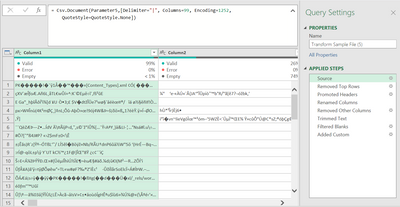
Hi, I did a query time ago that was working perfectly until today and it started retrieving data like this:
We didn't modify the file, the data source or the steps, and I tried different things but couldn't fix it.
Does anyone have any idea of why this is happening and how to fix it?
Thanks.
Solved! Go to Solution.
Hi @Anonymous
Looks like that 503 error from Sharepoint is the issue. WHatever it's returngin to the query is being read as binary data - hence the odd characters you are seeing.
Check Sharepoint and reconfirm that you can accesss the files you want.
Regards
Phil
Proud to be a Super User!
Hi @Anonymous
Looks like that 503 error from Sharepoint is the issue. WHatever it's returngin to the query is being read as binary data - hence the odd characters you are seeing.
Check Sharepoint and reconfirm that you can accesss the files you want.
Regards
Phil
Proud to be a Super User!
Hi @Anonymous
So the CSV file you are importing is actually a text CSV? Not binary?
Can you confirm Parameter5 contains the correct path and filename for the CSV? Try hardcoding the path/filename to test.
Can you post the CSV in question for me to check.
Regards
Phil
Proud to be a Super User!
Hi Philip, thanks for taking the time.
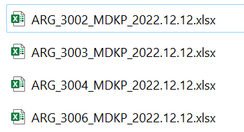
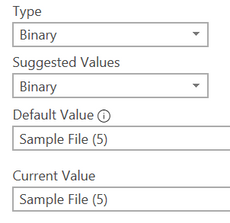
The CSV I'm importing are actually Excel files; xlsx, and all the Parameters that I had, they were automatically labelled as Binary, and worked always fine.
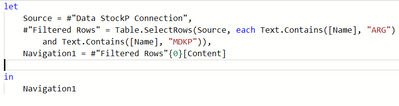
The Parameter5 contains the correct Path and filename. The files are placed into a Sharepoint and we retrieve the data from there.
I don't know if the query might get corrupted by any reason, but I also got this error message and I think it has to do with that, Error 503, which actually is a Server-side problem.
If you love stickers, then you will definitely want to check out our community sticker challenge, Barcelona edition!
Check out the July 2026 Power BI update to learn about new features.
| User | Count |
|---|---|
| 4 | |
| 2 | |
| 2 | |
| 2 | |
| 1 |