This time we’re going bigger than ever. Fabric, Power BI, SQL, AI and more. We're covering it all. You won't want to miss it.
Learn moreLevel up your Power BI skills this month - build one visual each week and tell better stories with data! Get started
Hi all. I am currently working on a project where I need to merge rows in a table i.e an individual could have 2 rows/returns. I need them to show as 1 row but where they have given an different answer for the coloumn merge with a deliminater as per example.
Current table named "New format"
Name Fruit Cakes. Meat
Joe. Apple. Sponge Bacon
Joe. Fairy
Required
Name. Fruit. Cakes. Meat
Joe. Apple. Sponge;Fairy Bacon
Any help would be appreciated
Thank you
Solved! Go to Solution.
@Jamie666stuck In that case only use the code from GroupedRows step onwards, for clarity just create a new blank query > go to advanced editor and then use my complete code.
Not sure if this will help but this is how I do it, replace the bold text with your specific data and paste into advanced editor at the correct point. Step3 seperates the answers into different columns so delete that if you want them in the same column.
This example would create a single line for each ItemCode (Name) and multiple columns for each Ink (Cake)
Splitting multiple Rows into sperate columns based on a header i.e. ItemCode and Inks
#"SplitStep1" = Table.Group(#"PreviousStep", {"ItemCode"}, {{"Count", each Table.RowCount(_), type number},{"Inks", each Text.Combine([Inks],","), type text}}),
Columns = List.Transform({1..List.Max(#"SplitStep1"[Count])}, each "Inks."&Text.From(_)),
#"SplitStep2" = Table.SplitColumn(#"SplitStep1", "Inks", Splitter.SplitTextByDelimiter(",", QuoteStyle.Csv), Columns),
#"SplitStep3" = Table.RemoveColumns(#"SplitStep2",{"Count"})
Thanks,
@Jamie666stuck Paste this in the advanced editor:
let
Source = Table.FromRows (
Json.Document (
Binary.Decompress (
Binary.FromText (
"i45W8spPVdJRciwoyAHRwQX5eekghlNicn6eUqwOTAEQuSVmFlWCmCBR38xsiLI8IAQynDPyk/NzEktSwezM5OzUPGR1vol56flAOiwxLzMnJxFsSiwA",
BinaryEncoding.Base64
),
Compression.Deflate
)
),
let
_t = ( ( type nullable text ) meta [ Serialized.Text = true ] )
in
type table [ Name = _t, Fruit = _t, Cakes = _t, Meat = _t ]
),
ChangedType = Table.TransformColumnTypes (
Source,
{
{ "Name", type text },
{ "Fruit", type text },
{ "Cakes", type text },
{ "Meat", type text }
}
),
GroupedRows = Table.Group (
ChangedType,
{ "Name" },
{
{
"Transformation",
each Table.FromRows (
{
List.Transform (
Table.ToColumns ( Table.RemoveColumns ( _, "Name" ) ),
each Text.Combine ( List.RemoveItems ( _, { "" } ), "; " )
)
},
type table [ Fruit = text, Cakes = text, Meat = text ]
),
type table [ Fruit = text, Cakes = text, Meat = text ]
}
}
),
ExpandedTransformation = Table.ExpandTableColumn (
GroupedRows,
"Transformation",
{ "Fruit", "Cakes", "Meat" },
{ "Fruit", "Cakes", "Meat" }
)
in
ExpandedTransformation
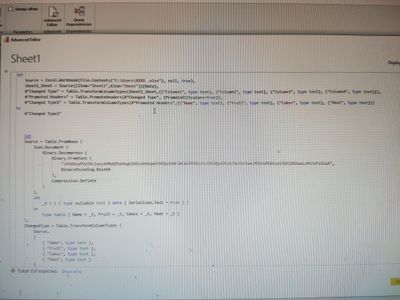
hi I pasted it in but suspect my previous code in there is stopping it, could you advise what I need to tweak? Thank you
@Jamie666stuck In that case only use the code from GroupedRows step onwards, for clarity just create a new blank query > go to advanced editor and then use my complete code.
Check out the April 2026 Power BI update to learn about new features.
Sign up to receive a private message when registration opens and key events begin.
If you have recently started exploring Fabric, we'd love to hear how it's going. Your feedback can help with product improvements.