Don't miss your chance to take the Fabric Data Engineer (DP-600) exam for FREE! Find out how by attending the DP-600 session on April 23rd (pacific time), live or on-demand.
Learn moreNext up in the FabCon + SQLCon recap series: The roadmap for Microsoft SQL and Maximizing Developer experiences in Fabric. All sessions are available on-demand after the live show. Register now
I am not able to connect to an excel in Sharepoint with this:
https://docs.microsoft.com/en-us/power-bi/desktop-use-onedrive-business-links
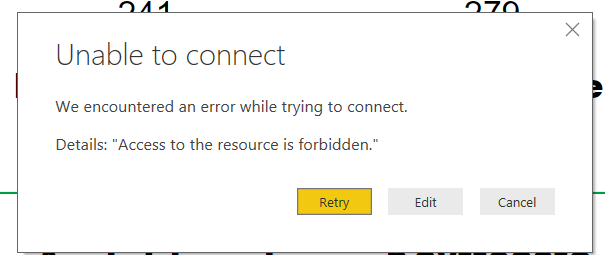
It won't let me choose between Windows/Organizational account but shows the following message.
How can I change my login settings? They are not visible in data source settings.
@Anonymous,
Firstly, please go to File->Options and Settings->Data Source Settings->Global Permissions, click all the existing sharepoint excel data sources and click "Clear Permission". Then connect to the Excel in use web connector.
Secondly, if you are connecting to SharePoint excel, please use the URL below. If you are using SharePoint online, please use Organizational account authentication, if you are using on-premises SharePoint, please use Windows authentication.
https://your root site url/Shared%20Documents/yourfoldername/excelname.xlsx
Regards,
Lydia
If you have recently started exploring Fabric, we'd love to hear how it's going. Your feedback can help with product improvements.
A new Power BI DataViz World Championship is coming this June! Don't miss out on submitting your entry.
Experience the highlights from FabCon & SQLCon, available live and on-demand starting April 14th.
| User | Count |
|---|---|
| 5 | |
| 3 | |
| 3 | |
| 3 | |
| 2 |
| User | Count |
|---|---|
| 7 | |
| 5 | |
| 5 | |
| 5 | |
| 4 |