This time we’re going bigger than ever. Fabric, Power BI, SQL, AI and more. We're covering it all. You won't want to miss it.
Learn moreDid you hear? There's a new SQL AI Developer certification (DP-800). Start preparing now and be one of the first to get certified. Register now
Hey everyone!
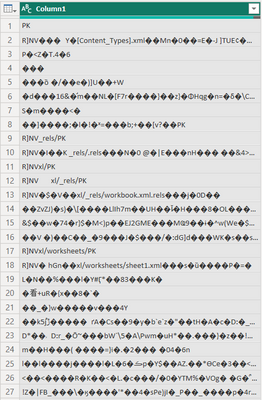
Trying to import CSV from Sharepoint Folder and I get the follwoing picture
The table itself contains columns, headers and etc. The most interesing thing is that the rest CSV files from the same folder work correctly
How to make Power Query Editor read the data properly?
Solved! Go to Solution.
It works only when I re-save the Excel file as CSV again and then import it to Power Query
Hi @Anonymous - I don't think the file that you are trying to import is CSV. It is possible that it is XLSX file or ODS version of an Excel file (Differences between the OpenDocument Spreadsheet (.ods) format and the Excel for Windows (.xlsx) format - Microsoft Support).
Hey! It is 100% CSV file
Check out the April 2026 Power BI update to learn about new features.
If you have recently started exploring Fabric, we'd love to hear how it's going. Your feedback can help with product improvements.
A new Power BI DataViz World Championship is coming this June! Don't miss out on submitting your entry.