This is best Fabric, Power BI, SQL and AI community event. How do we know? The last event sold out! Save €200 with code FABCMTY200.
Register nowThe Fabric community is upgrading! Read all of the details including the timeline and what you can expect. Learn more
Hey everyone!
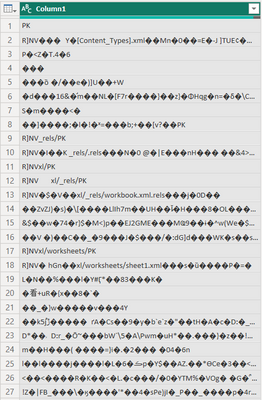
Trying to import CSV from Sharepoint Folder and I get the follwoing picture
The table itself contains columns, headers and etc. The most interesing thing is that the rest CSV files from the same folder work correctly
How to make Power Query Editor read the data properly?
Solved! Go to Solution.
It works only when I re-save the Excel file as CSV again and then import it to Power Query
Hi @Anonymous - I don't think the file that you are trying to import is CSV. It is possible that it is XLSX file or ODS version of an Excel file (Differences between the OpenDocument Spreadsheet (.ods) format and the Excel for Windows (.xlsx) for...).
Hey! It is 100% CSV file
Join us in Barcelona for FabCon and SQLCon, the Fabric, Power BI, SQL, and AI community event. Save €200 with code FABCMTY200.