Join us at FabCon Atlanta from March 16 - 20, 2026, for the ultimate Fabric, Power BI, AI and SQL community-led event. Save $200 with code FABCOMM.
Register now!The Power BI Data Visualization World Championships is back! Get ahead of the game and start preparing now! Learn more
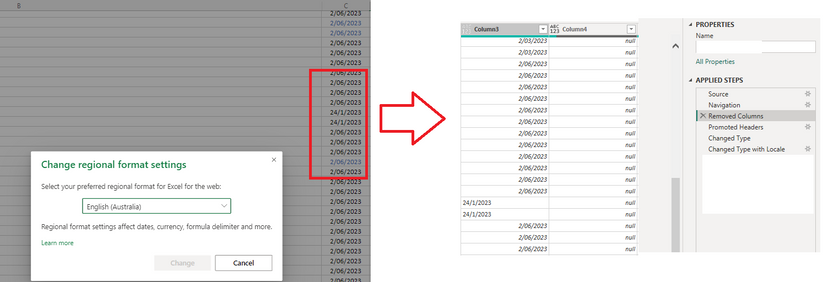
I'm hoping this is a quick fix. On my excel file, the region is set to Australia. When I import this file in Power Query, there are dates in american mm/dd/yy format (unless they cannot be converted). Is there any way to get the data show up the same way in power query, as I cannot use change type with locale if half of my dates are dd/mm/yy. The regional settings for "This File" are also set to English (Australia).
Solved! Go to Solution.
What I ended up doing was manually going to the source excel, changing the locale of that file and fixing the dates. Then I went and refreshed the data, which seemed to work.
NewStep=Table.TransformColumns(PreviousStepName,{"your date column name",each Date.From(_,"en-Au")})
Hey, thanks for the reply.
Unfortunately, I can't use Transform as the dates are showing in mixed dd/mm/yy and mm/dd/yy, due to a locale difference.
The Power BI Data Visualization World Championships is back! Get ahead of the game and start preparing now!