Learn from the best! Meet the four finalists headed to the FINALS of the Power BI Dataviz World Championships! Register now
Hi all!
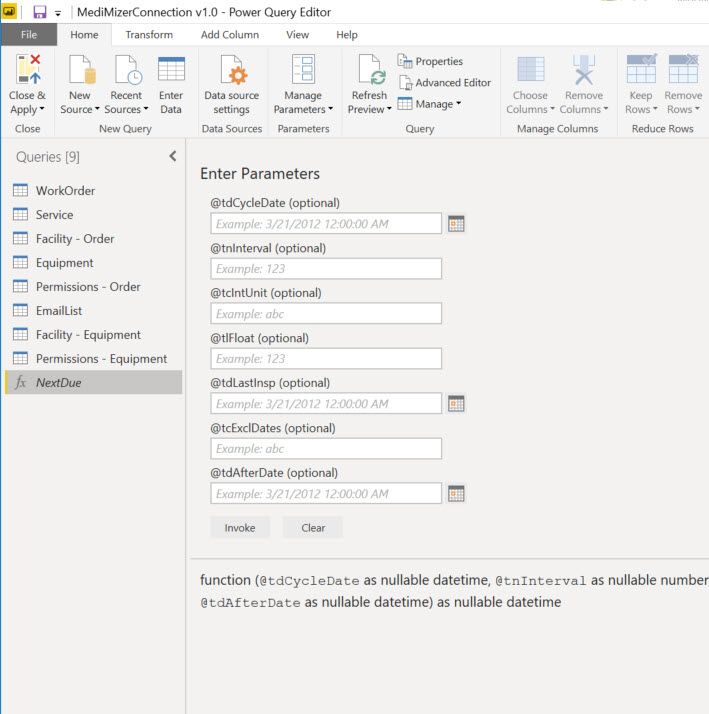
I am not a very advanced Power BI user and I am running into an issue. My report user wants a specific field from our application pulled into a Power BI report. "Great...I can do that easily," I thought. Turns out the field is a function which is not something I have ever dealt with before. This is what shows in Power Query Editor:
How do I get this to show as a table? Basically this is a function for the next date of inspection for a piece of equipment. Obviously I want the next due date autmatically calculated for each piece of equipment, but how do I put in data fields and not static values? I am very confused. Please help!
Solved! Go to Solution.
Hi @SHOOKANSON,
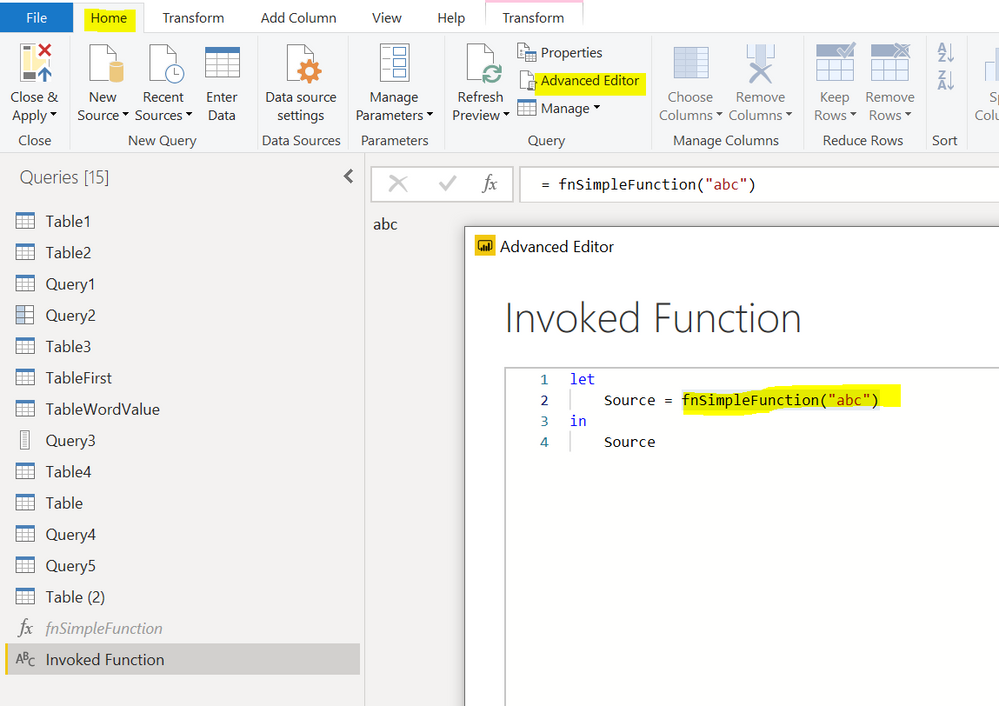
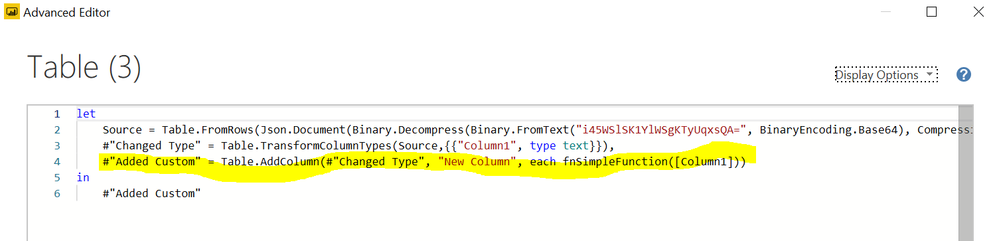
the simples method is the following:
pic1
pic2
Hi @SHOOKANSON,
the simples method is the following:
pic1
pic2
| User | Count |
|---|---|
| 4 | |
| 4 | |
| 2 | |
| 2 | |
| 2 |
| User | Count |
|---|---|
| 15 | |
| 8 | |
| 6 | |
| 5 | |
| 5 |