Join us at FabCon Atlanta from March 16 - 20, 2026, for the ultimate Fabric, Power BI, AI and SQL community-led event. Save $200 with code FABCOMM.
Register now!The Power BI Data Visualization World Championships is back! It's time to submit your entry. Live now!
Hi experts,
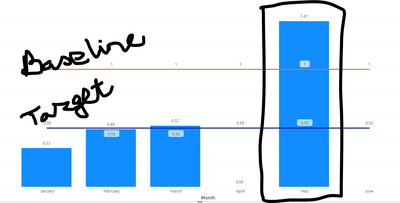
In a graphical (POWER BI) presentation, data is retreived from Excel sheet automatically. When a entered data point deviates Target/Goal how to highlight that dat (in graph) from others.
Can any body help me.
Solved! Go to Solution.
Hi @mrswa_56
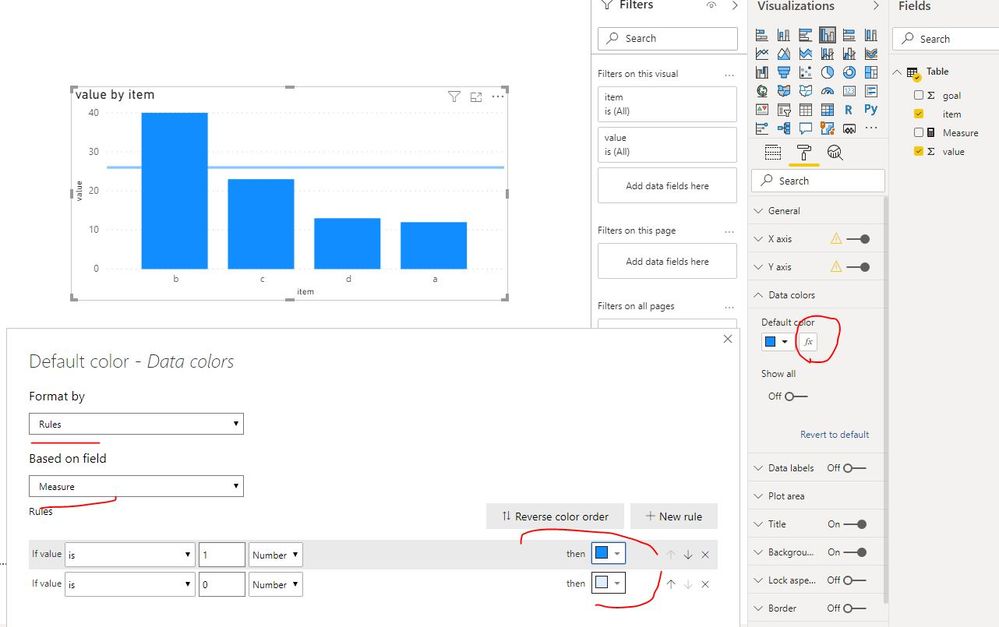
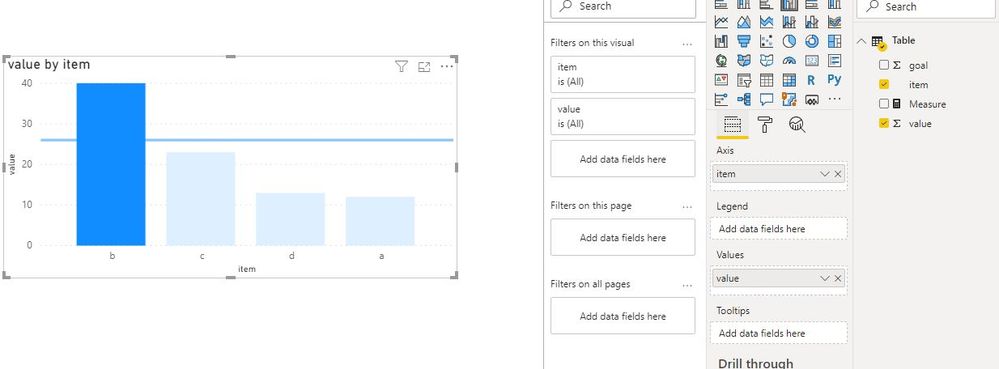
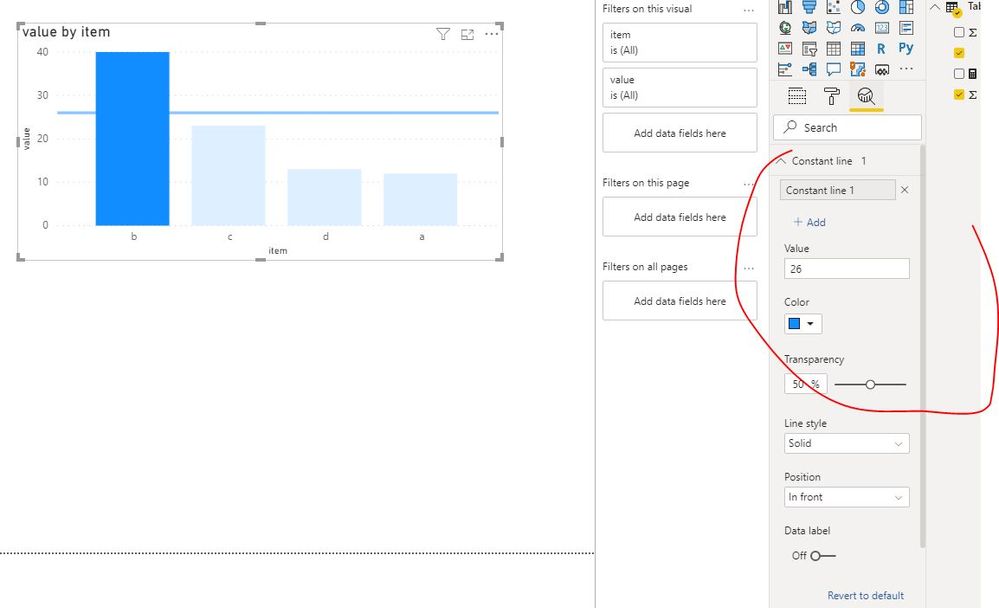
As Mariusz suggested, create a measure and apply it in conditional formatting.
Measure = IF(SUM('Table'[value])>=SUM('Table'[goal]),1,0)
Best Regards
Maggie
Community Support Team _ Maggie Li
If this post helps, then please consider Accept it as the solution to help the other members find it more quickly.
Hi @mrswa_56
As Mariusz suggested, create a measure and apply it in conditional formatting.
Measure = IF(SUM('Table'[value])>=SUM('Table'[goal]),1,0)
Best Regards
Maggie
Community Support Team _ Maggie Li
If this post helps, then please consider Accept it as the solution to help the other members find it more quickly.
| User | Count |
|---|---|
| 18 | |
| 13 | |
| 9 | |
| 8 | |
| 7 |