Learn from the best! Meet the four finalists headed to the FINALS of the Power BI Dataviz World Championships! Register now
Hi experts,
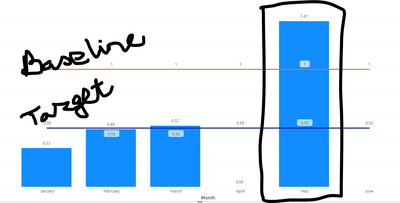
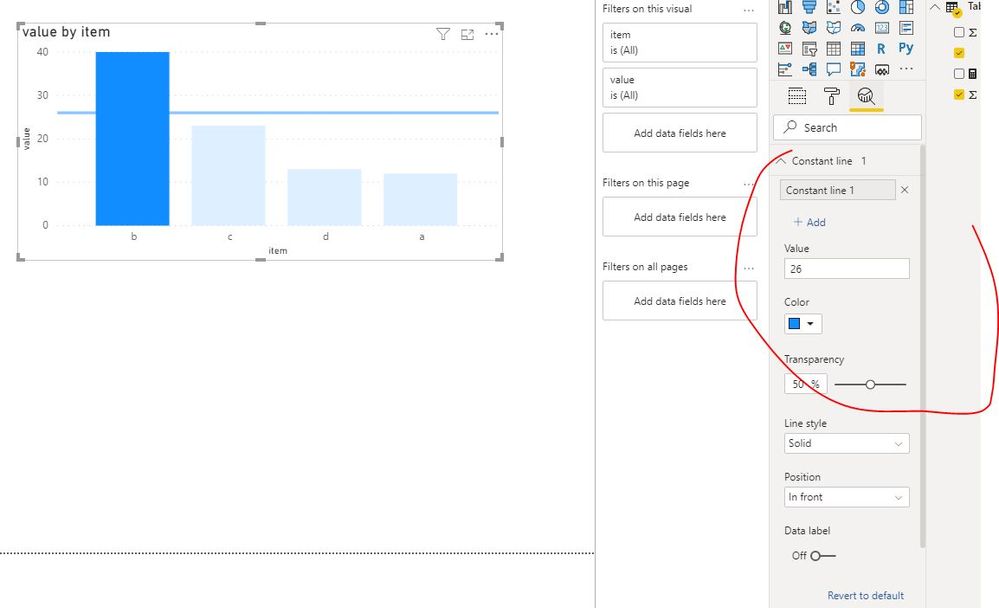
In a graphical (POWER BI) presentation, data is retreived from Excel sheet automatically. When a entered data point deviates Target/Goal how to highlight that dat (in graph) from others.
Can any body help me.
Solved! Go to Solution.
Hi @mrswa_56
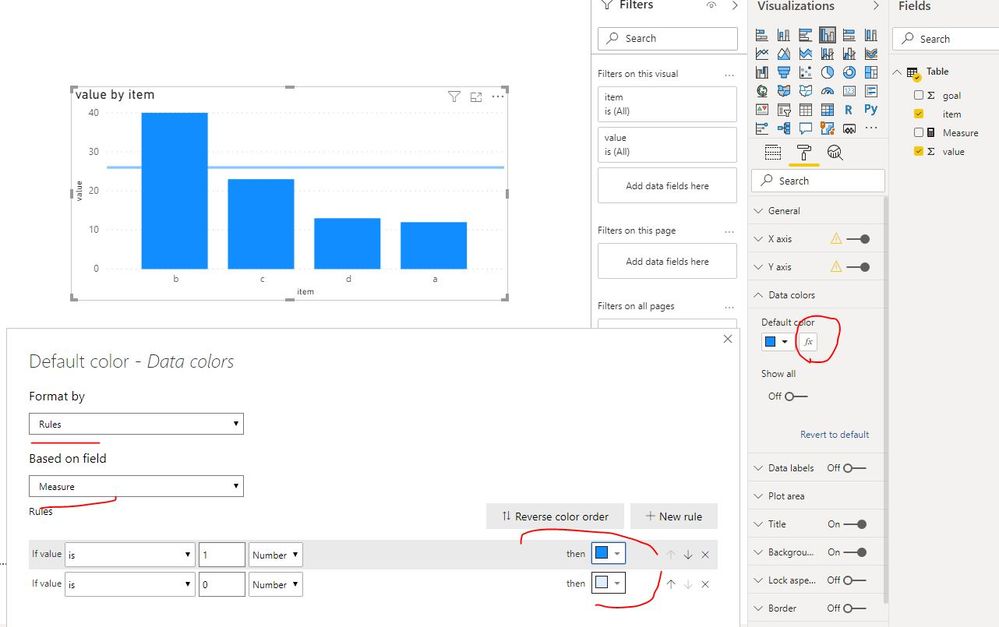
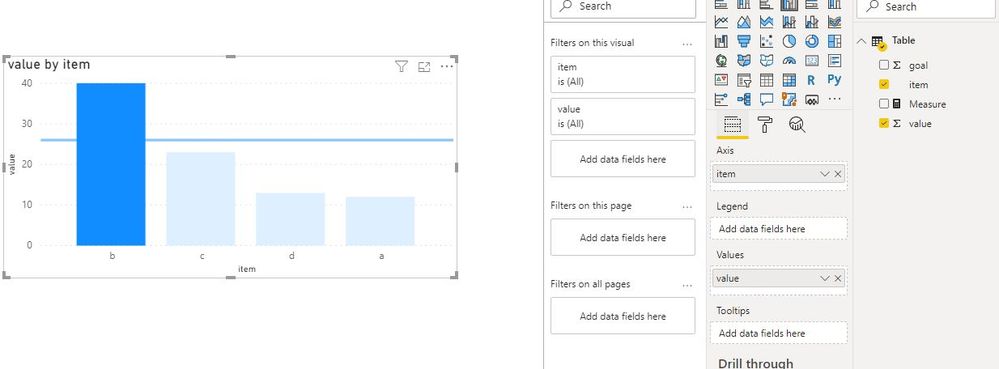
As Mariusz suggested, create a measure and apply it in conditional formatting.
Measure = IF(SUM('Table'[value])>=SUM('Table'[goal]),1,0)
Best Regards
Maggie
Community Support Team _ Maggie Li
If this post helps, then please consider Accept it as the solution to help the other members find it more quickly.
Hi @mrswa_56
As Mariusz suggested, create a measure and apply it in conditional formatting.
Measure = IF(SUM('Table'[value])>=SUM('Table'[goal]),1,0)
Best Regards
Maggie
Community Support Team _ Maggie Li
If this post helps, then please consider Accept it as the solution to help the other members find it more quickly.
A new Power BI DataViz World Championship is coming this June! Don't miss out on submitting your entry.
Share feedback directly with Fabric product managers, participate in targeted research studies and influence the Fabric roadmap.
| User | Count |
|---|---|
| 5 | |
| 4 | |
| 4 | |
| 3 | |
| 2 |
| User | Count |
|---|---|
| 11 | |
| 10 | |
| 7 | |
| 7 | |
| 6 |