We've captured the moments from FabCon & SQLCon that everyone is talking about, and we are bringing them to the community, live and on-demand. Starts on April 14th. Register now
I am fairly new to Power Query. I deleted a pivot table that was in the workbook and now when I "refresh all" I get the error message "Can't open PivotTable source file....". The pivot that was deleted is not in any of the queries and if I click "okay" the refresh proceeds correctly. But I want to get rid of the error. Any suggestions??
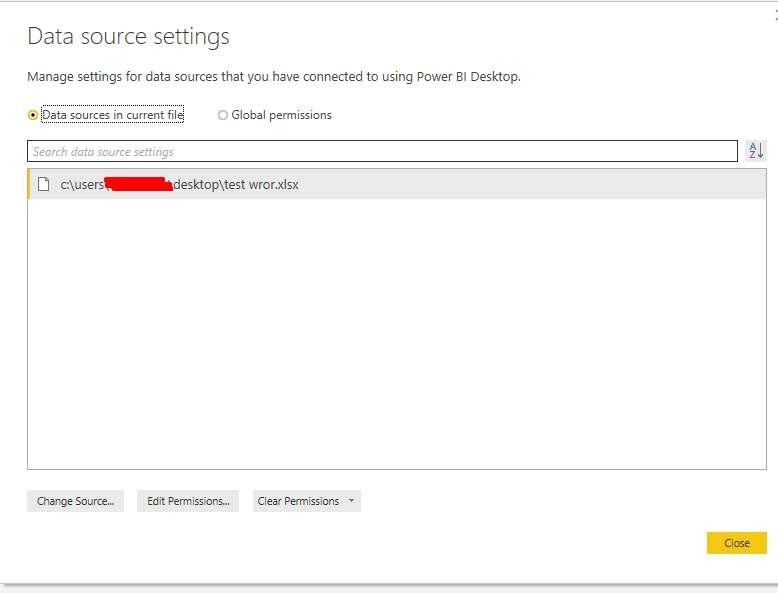
Is it still visible in your source settings pane?
Hi - Thank you for your response! No, it is not showing in data source settings. As I mentioned, I can click "okay" on the error and the file processes correctly. I've been googling solutions but nothing is working...
If you have recently started exploring Fabric, we'd love to hear how it's going. Your feedback can help with product improvements.
A new Power BI DataViz World Championship is coming this June! Don't miss out on submitting your entry.
Share feedback directly with Fabric product managers, participate in targeted research studies and influence the Fabric roadmap.
| User | Count |
|---|---|
| 5 | |
| 3 | |
| 3 | |
| 2 | |
| 2 |
| User | Count |
|---|---|
| 11 | |
| 10 | |
| 7 | |
| 6 | |
| 5 |