Join us at FabCon Atlanta from March 16 - 20, 2026, for the ultimate Fabric, Power BI, AI and SQL community-led event. Save $200 with code FABCOMM.
Register now!The Power BI Data Visualization World Championships is back! It's time to submit your entry. Live now!
Hi,
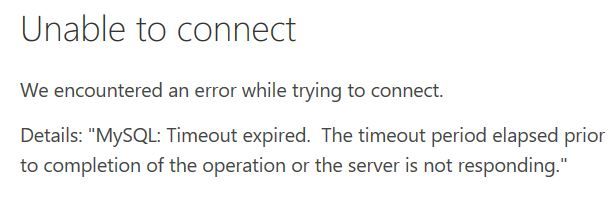
I'm dealing with a 2tb database and have tried few times to load it but end up unsuccess. What can i do with it?
Solved! Go to Solution.
@Anonymous,
Do you need all the columns of your database? I would recommend you specify required columns using SQL statement like "select col1,col2 from mydata.link_bi_betslips limit 5", and enter timeout value.
Regards,
Lydia
I would recommend a Direct Query (Live) connection to that large of a database.
@Greg_Deckler, my database is in MySQL. I can't find the option for me to perform Direct Query. Below is my view:
@Anonymous,
There is no DirectQuery option for MySQL, in your scenario, I would recommend you write specific SQL statement to import required columns and rows.
Regards,
Lydia
@Anonymous, can you show me where and how to write the SQL statement in Power BI to import required columns and rows?
@Anonymous,
You can input SQL statement in the highlighted textbox. You can firstly test the SQL statement in MySQL workbench,
Regards,
Lydia
@Anonymous,
I was still unable to extract any data with my sql statement below
@Anonymous,
Do you need all the columns of your database? I would recommend you specify required columns using SQL statement like "select col1,col2 from mydata.link_bi_betslips limit 5", and enter timeout value.
Regards,
Lydia
The Power BI Data Visualization World Championships is back! It's time to submit your entry.
Check out the January 2026 Power BI update to learn about new features.
| User | Count |
|---|---|
| 16 | |
| 14 | |
| 9 | |
| 8 | |
| 7 |