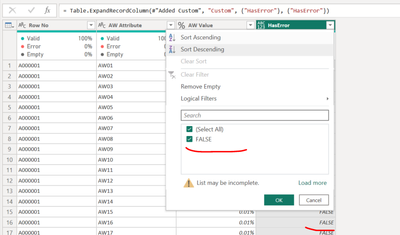
Hi All,
pls, help me to find the error and fix it. data I am getting from an excel file..excel file has value and blank row but no error in file.
first, I added an error in the custom column..
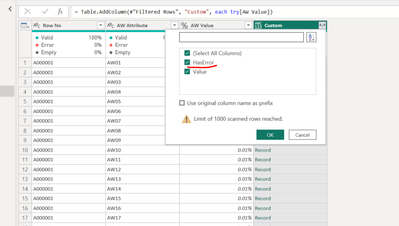
here it show me only false value..no error

but when I clicked on kept error then getting error in all column.
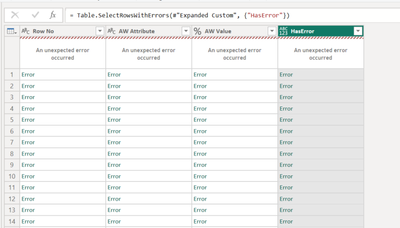
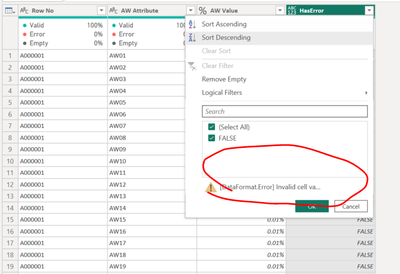
it says something in data format. error invalid cell value "#ref. i am unable to fix it..pls tell me how to find what is the error and how to fix it..
this is the advance editor code.
let
Source = #"PBWBSEARLY03-AW",
#"Removed Columns" = Table.RemoveColumns(Source,{"DEL SEQ", "Company Document Number ", "Contractor Document Number ", "Document Title ", "Planned Progress", "Actual Progress", "Weighted Planned Progress", "Weighted Actual Progress", "Variance from Baseline"}),
#"Filtered Rows" = Table.SelectRows(#"Removed Columns", each true),
#"Added Custom" = Table.AddColumn(#"Filtered Rows", "Custom", each try[AW Value]),
#"Expanded Custom" = Table.ExpandRecordColumn(#"Added Custom", "Custom", {"HasError"}, {"HasError"})
in
#"Expanded Custom"