cancel
Showing results for 
Search instead for 
Did you mean: 

Try your skills in the Power BI Dataviz World Championship! Round one ends June 26. Join now

Reply
lucas_dantasc
Frequent Visitor

Average using M (Power Query)

Hi,


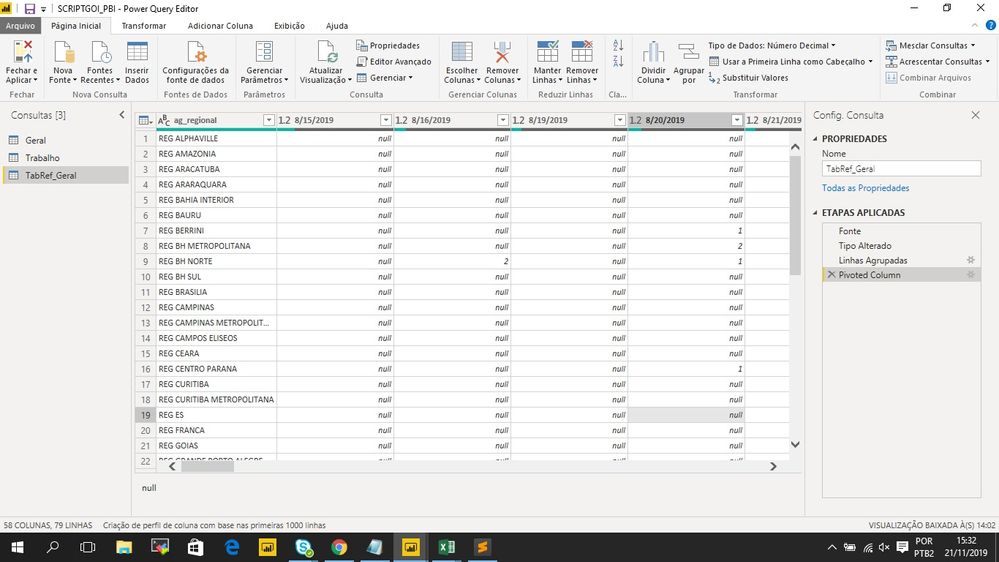
I would like to create a column named as "average" to calculate the avarage for each ag_regional for this whole periods in my data base (the script has to select all dates registred to make the average , I have to select all columns with dates at once instead of write one by one and exclude NULL values from the average)


How do I make it happen?


Average.jpg

2 ACCEPTED SOLUTIONS
artemus
Microsoft Employee
Microsoft Employee

It would be something like

each List.Average(Record.FieldValues(_ & [ag_regional=null]))


View solution in original post

Oh sorry if I wasn't clear, you put that line in a add colums - custom column dialog.

In that case, the line would have:

Average = Table.AddColumns(#"Pivoted Column", "Average", <the line I provided starting with each>)

View solution in original post

3 REPLIES 3
artemus
Microsoft Employee
Microsoft Employee

It would be something like

each List.Average(Record.FieldValues(_ & [ag_regional=null]))


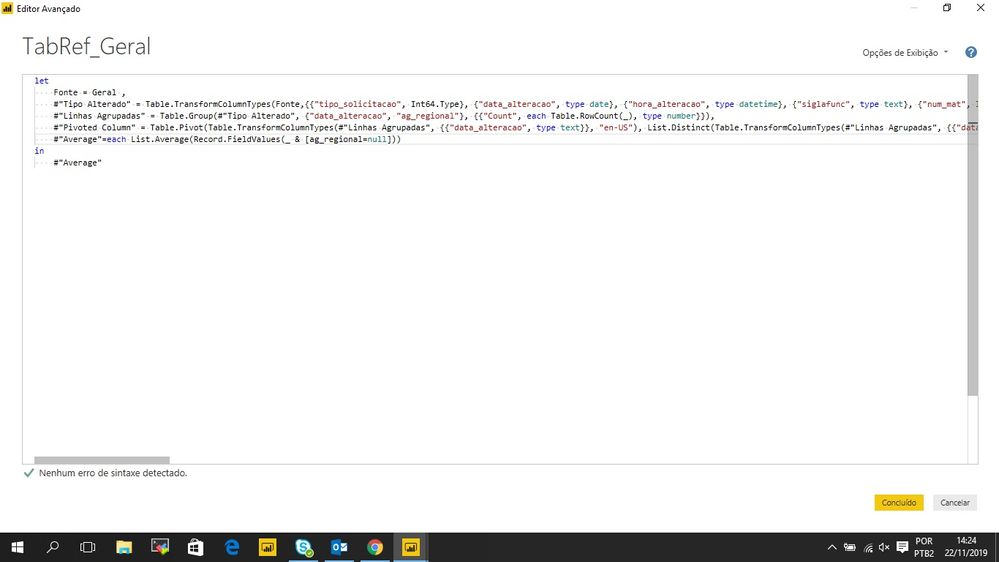
When I put the Script:


scriptmedia.jpg


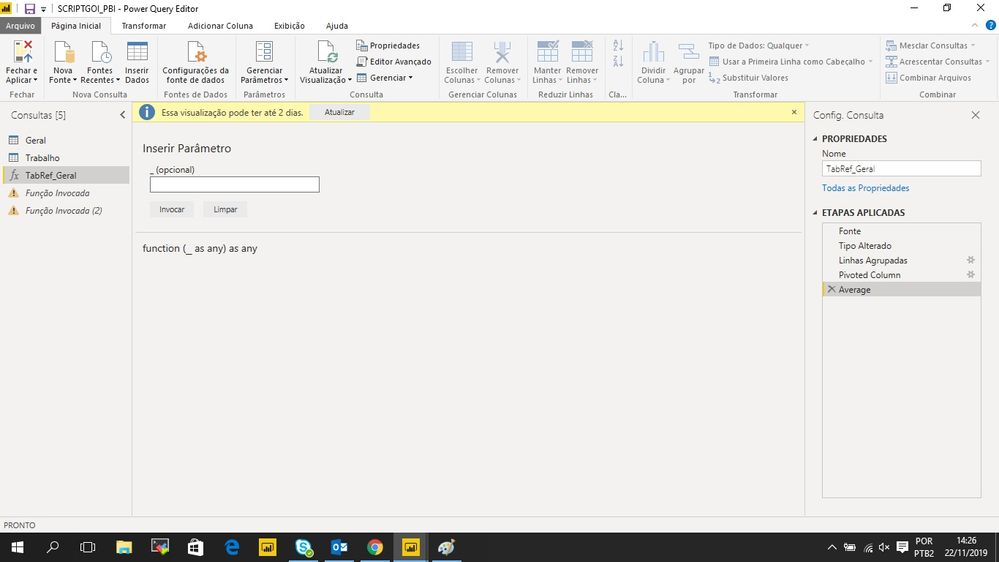
Then It happens, what do I have to put in this blank space?


scriptmedia.jpg

Oh sorry if I wasn't clear, you put that line in a add colums - custom column dialog.

In that case, the line would have:

Average = Table.AddColumns(#"Pivoted Column", "Average", <the line I provided starting with each>)

Helpful resources

Announcements
Fabric Data Days is here Carousel

Fabric Data Days 2026

Don't miss out on Data Days, June 15 through August 7. Learn Fabric, Power BI, SQL, AI and more.

Power BI DataViz World Championships carousel

Power BI DataViz World Championships - June 2026

A new Power BI DataViz World Championship is coming this June! Don't miss out on submitting your entry.