Don't miss your chance to take exam DP-600 or DP-700 on us!
Request nowLearn from the best! Meet the four finalists headed to the FINALS of the Power BI Dataviz World Championships! Register now
Hi,
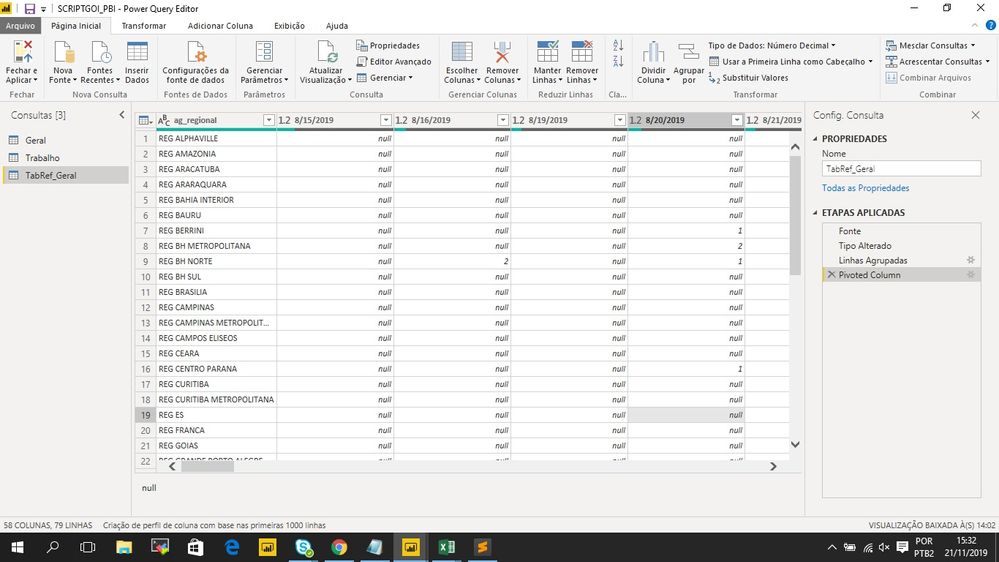
I would like to create a column named as "average" to calculate the avarage for each ag_regional for this whole periods in my data base (the script has to select all dates registred to make the average , I have to select all columns with dates at once instead of write one by one and exclude NULL values from the average)
How do I make it happen?
Solved! Go to Solution.
It would be something like
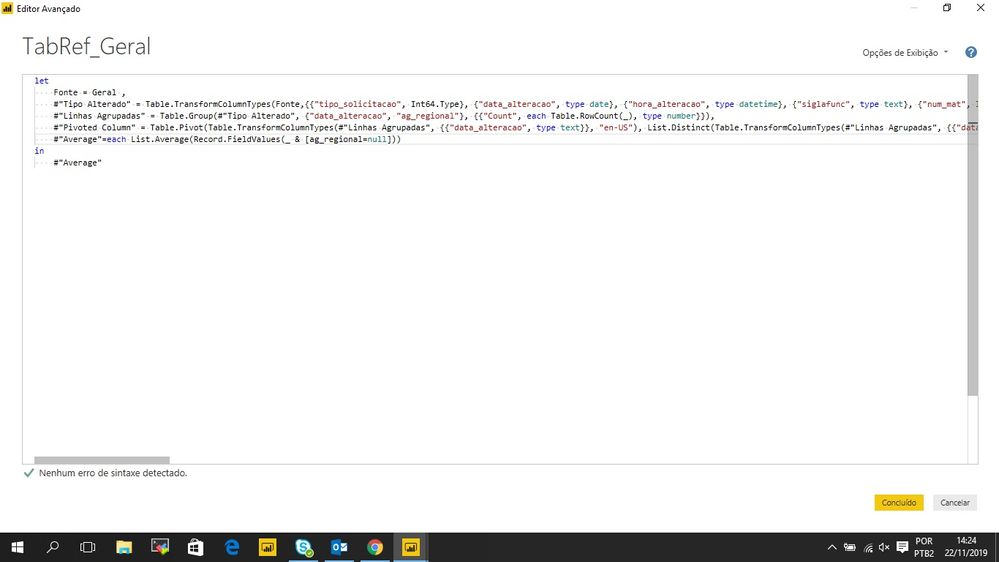
each List.Average(Record.FieldValues(_ & [ag_regional=null]))
Oh sorry if I wasn't clear, you put that line in a add colums - custom column dialog.
In that case, the line would have:
Average = Table.AddColumns(#"Pivoted Column", "Average", <the line I provided starting with each>)
It would be something like
each List.Average(Record.FieldValues(_ & [ag_regional=null]))
When I put the Script:
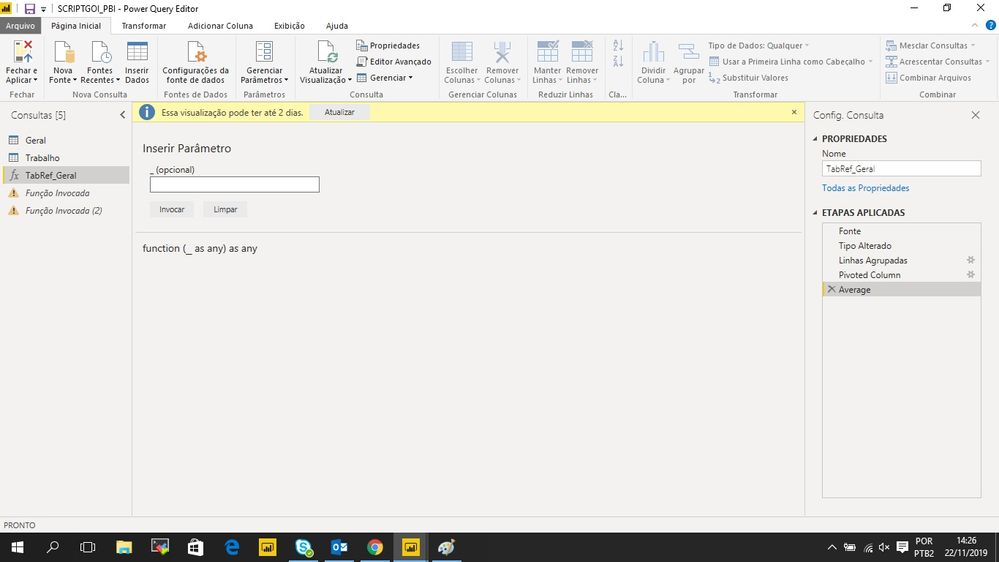
Then It happens, what do I have to put in this blank space?
Oh sorry if I wasn't clear, you put that line in a add colums - custom column dialog.
In that case, the line would have:
Average = Table.AddColumns(#"Pivoted Column", "Average", <the line I provided starting with each>)
Share feedback directly with Fabric product managers, participate in targeted research studies and influence the Fabric roadmap.
Check out the February 2026 Power BI update to learn about new features.
| User | Count |
|---|---|
| 10 | |
| 9 | |
| 9 | |
| 8 | |
| 6 |