Join us at FabCon Atlanta from March 16 - 20, 2026, for the ultimate Fabric, Power BI, AI and SQL community-led event. Save $200 with code FABCOMM.
Register now!The Power BI Data Visualization World Championships is back! Get ahead of the game and start preparing now! Learn more
Hi,
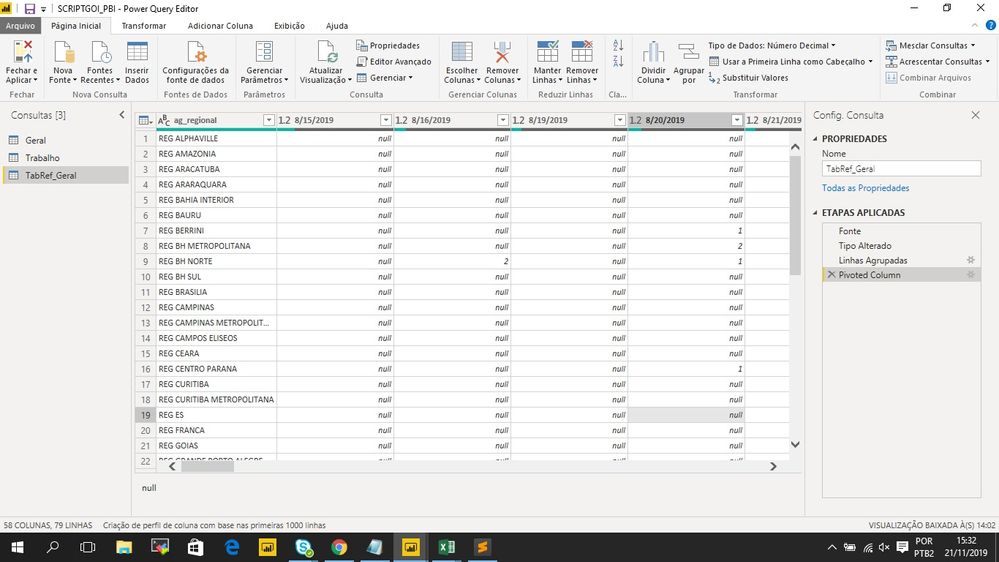
I would like to create a column named as "average" to calculate the avarage for each ag_regional for this whole periods in my data base (the script has to select all dates registred to make the average , I have to select all columns with dates at once instead of write one by one and exclude NULL values from the average)
How do I make it happen?
Solved! Go to Solution.
It would be something like
each List.Average(Record.FieldValues(_ & [ag_regional=null]))
Oh sorry if I wasn't clear, you put that line in a add colums - custom column dialog.
In that case, the line would have:
Average = Table.AddColumns(#"Pivoted Column", "Average", <the line I provided starting with each>)
It would be something like
each List.Average(Record.FieldValues(_ & [ag_regional=null]))
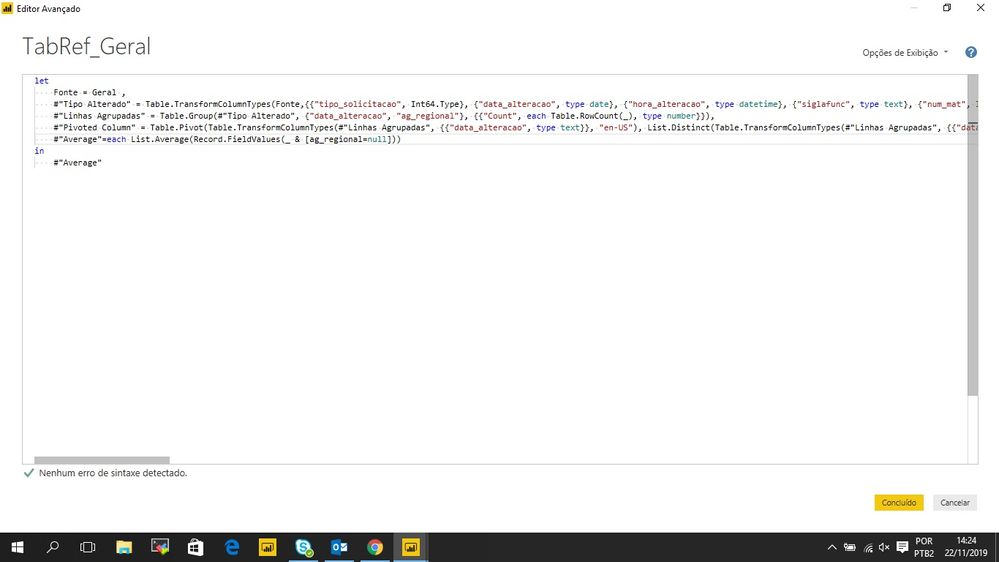
When I put the Script:
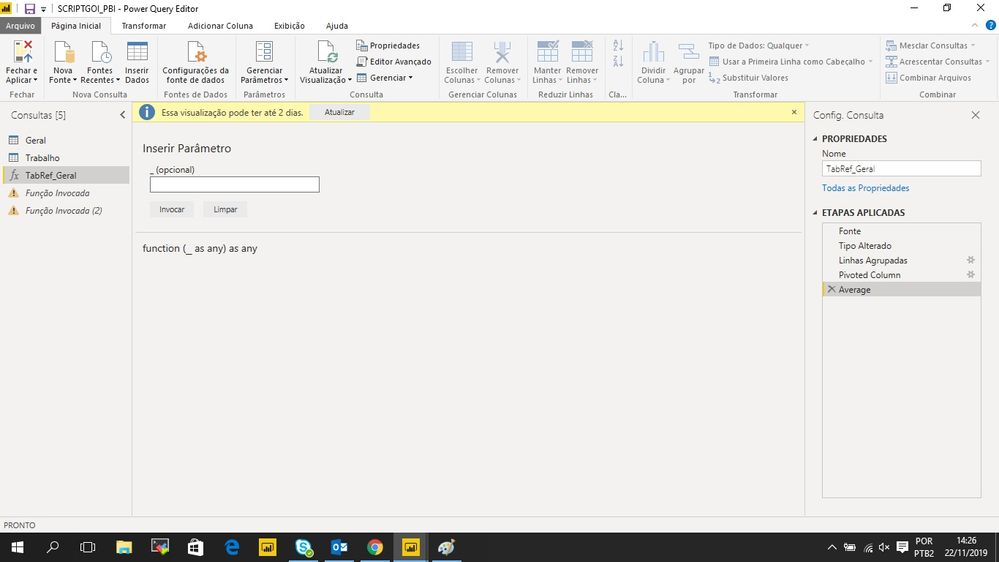
Then It happens, what do I have to put in this blank space?
Oh sorry if I wasn't clear, you put that line in a add colums - custom column dialog.
In that case, the line would have:
Average = Table.AddColumns(#"Pivoted Column", "Average", <the line I provided starting with each>)
The Power BI Data Visualization World Championships is back! Get ahead of the game and start preparing now!
Check out the November 2025 Power BI update to learn about new features.