Hi All,
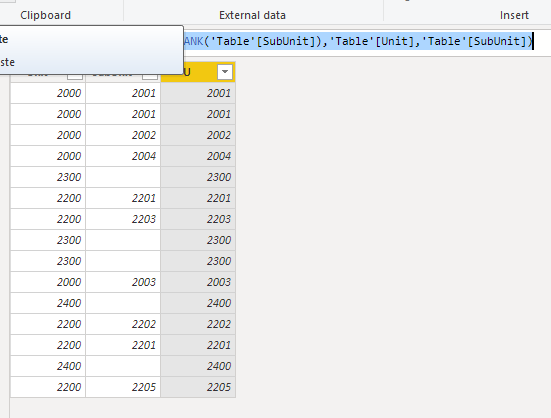
Wondering if the following is possible: In my data set I have 2 columns, Unit and SubUnit. Within each Unit are multiple SubUnits (ex. Unit 2000 - 2001, 2002, 2003.. as SubUnits).
There are instances where within a Unit there is no listed subunit. When that happens, the SubUnit cell is blank. I was wondering if there was a way to put in a formula or script that would detect the blank, and copy over the Unit value into the Subunit (ex. Unit 2300 - blank Subunit... would want to copy over 2300 into the Subunit as well)
Here is a sample of my data:
| Unit | SubUnit |
| 2000 | 2001 |
| 2000 | 2001 |
| 2000 | 2002 |
| 2000 | 2004 |
| 2300 | |
| 2200 | 2201 |
| 2200 | 2203 |
| 2300 | |
| 2300 | |
| 2000 | 2003 |
| 2400 | |
| 2200 | 2202 |
| 2200 | 2201 |
| 2400 | |
| 2200 | 2205 |
Any help/guidance is very much appreciated!
Thanks,
RP